
01 / 05 · AI films
IV STUDIO.
Short films with recurring AI actors. Give a character a face and a voice, hunt a few quick takes, finish the best one, then cut it all together.
Get it free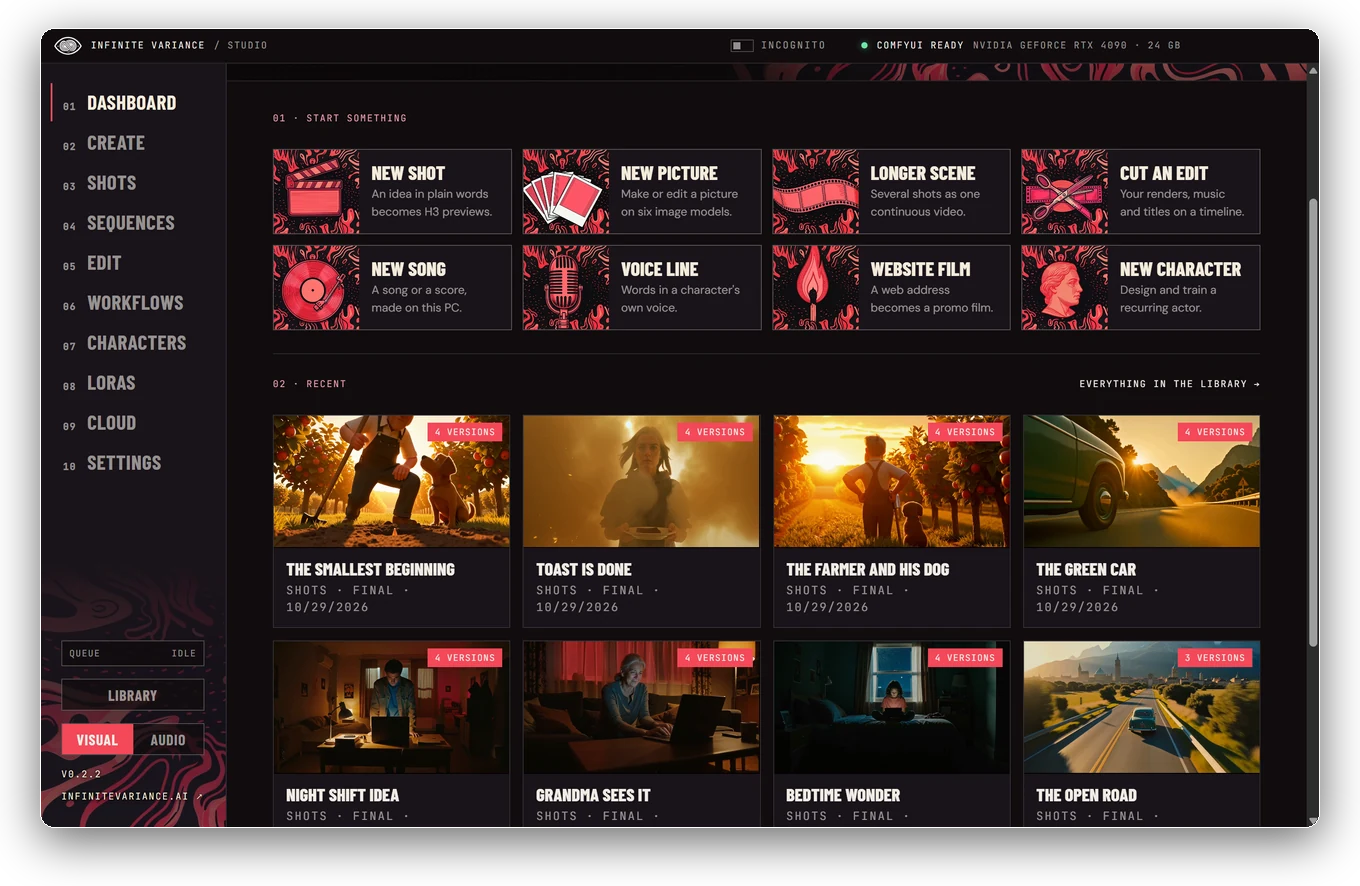
 Let's create

04 / Resources / Downloads
Five apps built for our own creative work, free for yours. No account, no ads, no card. Scroll the reel, or jump straight to one.
The shelf
Everything here is free and open source (MIT). Each one has its own page on GitHub.
01 / AI films
AI films with recurring actors, on your PC or your own cloud GPU.
Windows · Mac · Linux · NVIDIA GPU or cloud
02 / Video & audio
Save video and audio from YouTube, Vimeo, X, TikTok and 1,000+ other sites.
Windows · Mac
03 / Messages
WhatsApp, Messenger, Instagram, LinkedIn and Telegram in one window.
Windows
04 / Dictation
Hold a shortcut, speak, let go: your words appear wherever you’re typing.
Windows · NVIDIA GPU or CPU
05 / Keyboard & room control
An on-screen keyboard that never steals focus, and a family control center.
Windows01 / 05 · AI films
Short films with recurring AI actors. Give a character a face and a voice, hunt a few quick takes, finish the best one, then cut it all together.
Get it free02 / 05 · Video & audio
Paste a link, pick a format, keep it. Works with YouTube, Vimeo, X, TikTok, Instagram and more than a thousand other sites.
Get it free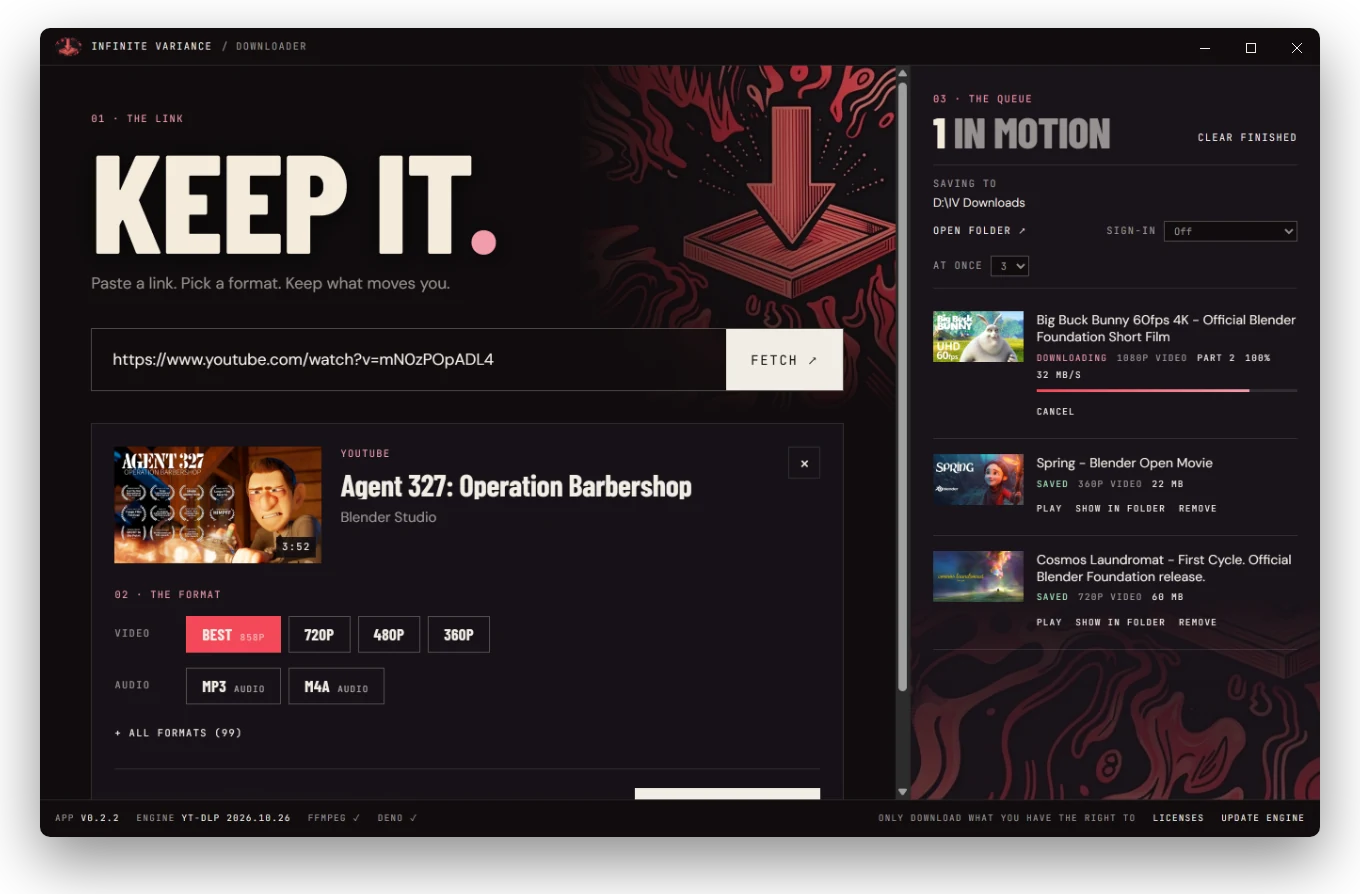
03 / 05 · Messages
WhatsApp, Messenger, Instagram, LinkedIn and Telegram in one window. Your own Codex or Claude can draft replies, but nothing is ever sent for you.
Get it free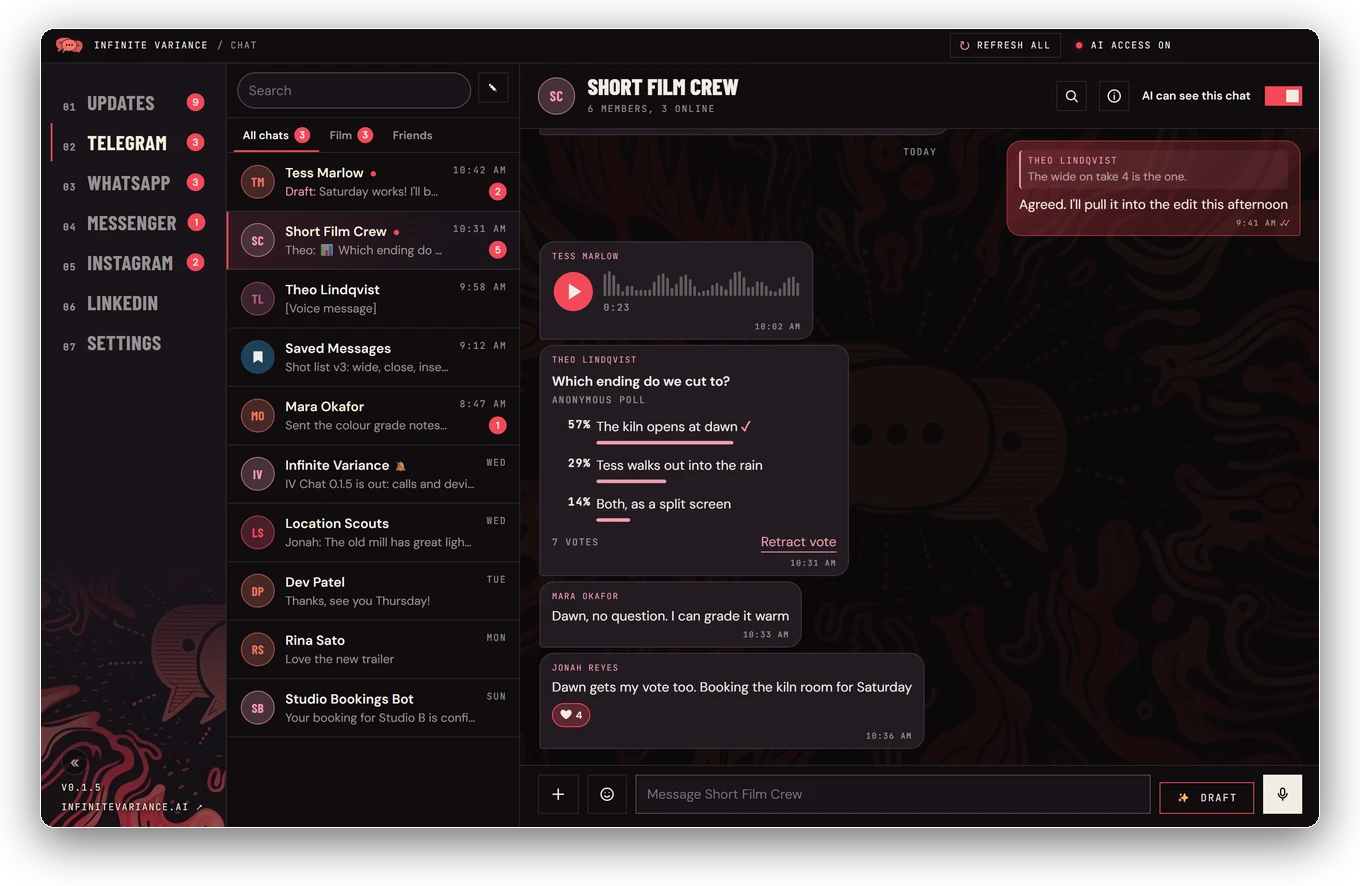
04 / 05 · Dictation
Hold a shortcut, speak, let go, and clean text appears wherever you’re typing: email, docs, prompts, code comments. Whisper runs on your own PC.
Find out more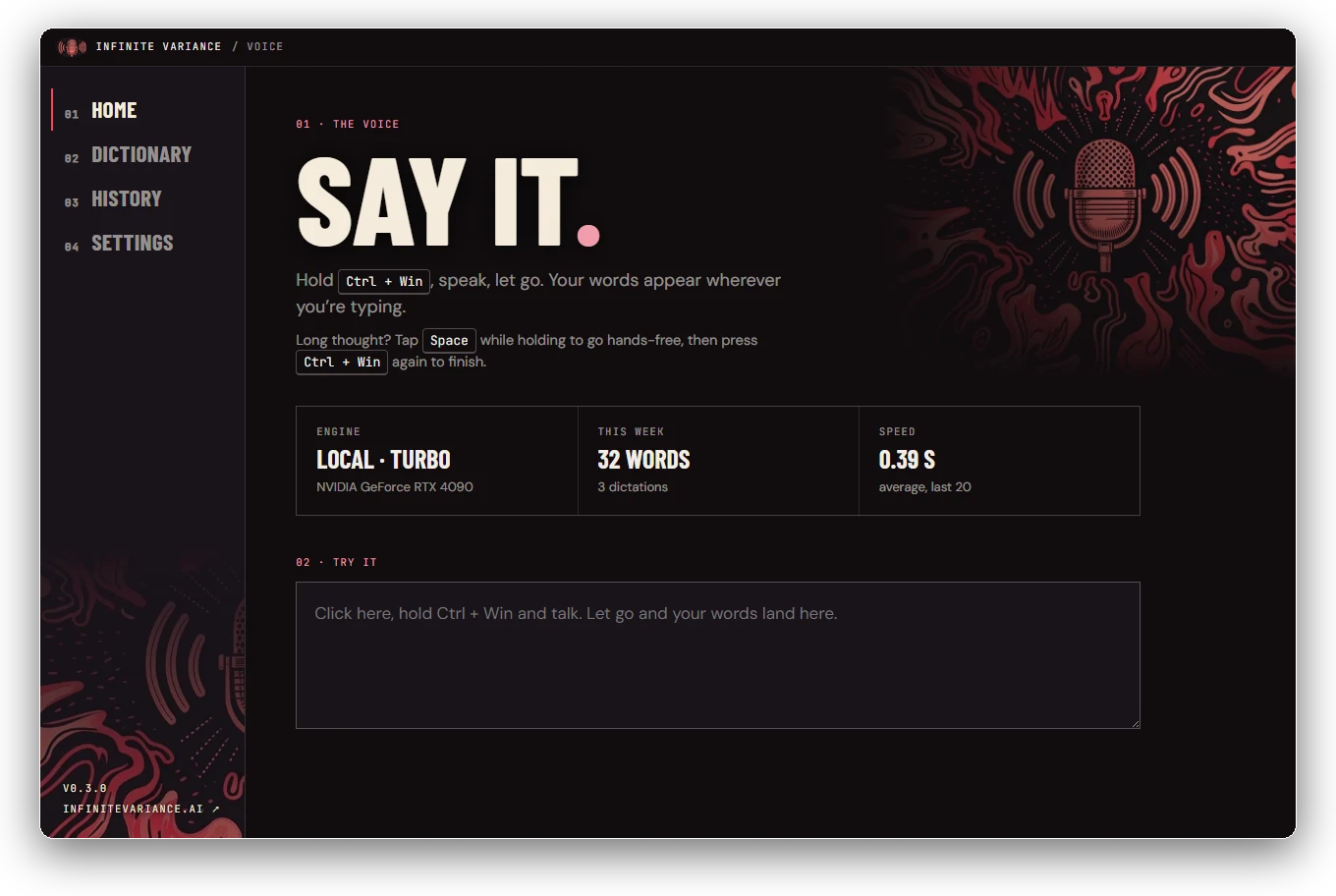
05 / 05 · Keyboard & room control
An on-screen keyboard that never steals focus: tap keys and text lands in the app you were using. It also drives IV Voice and sets the room for Baby Mode or Work Mode.
Find out more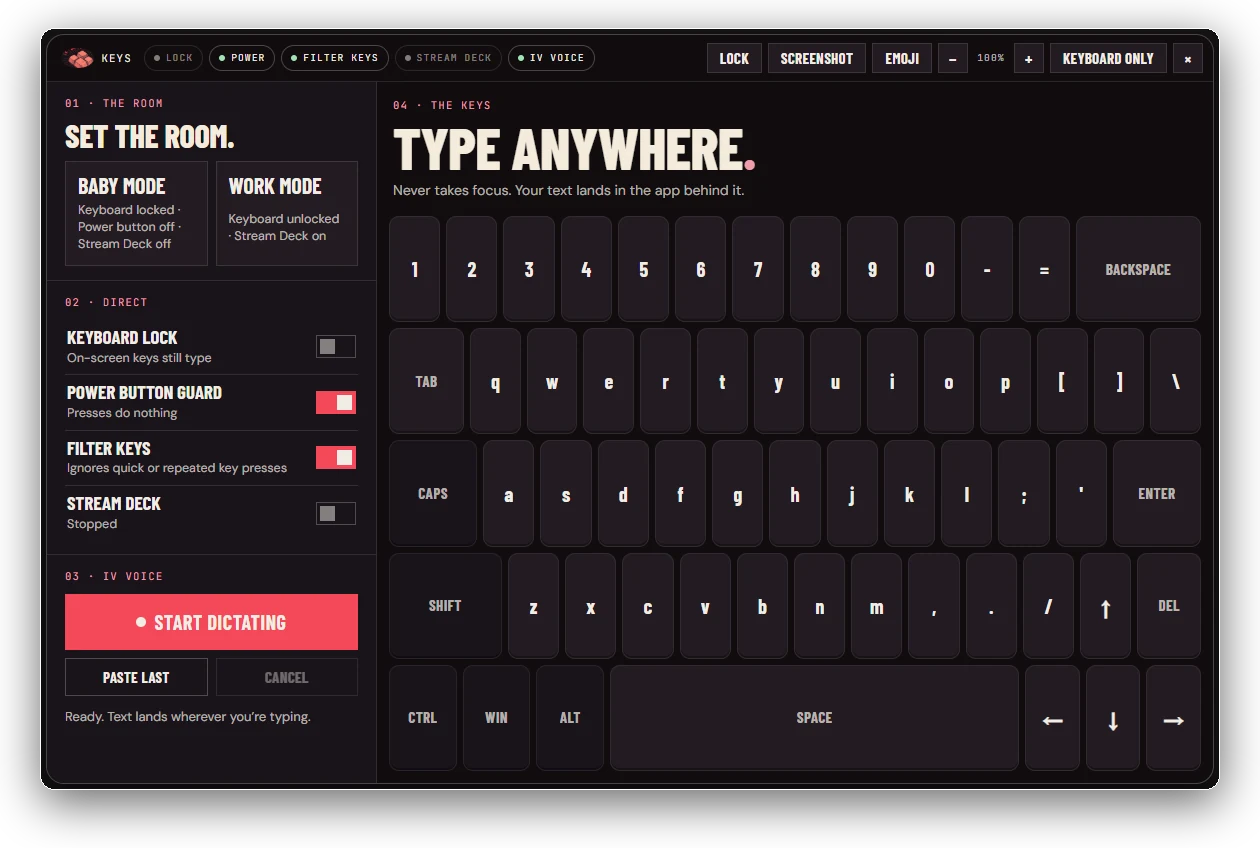
01 / AI films
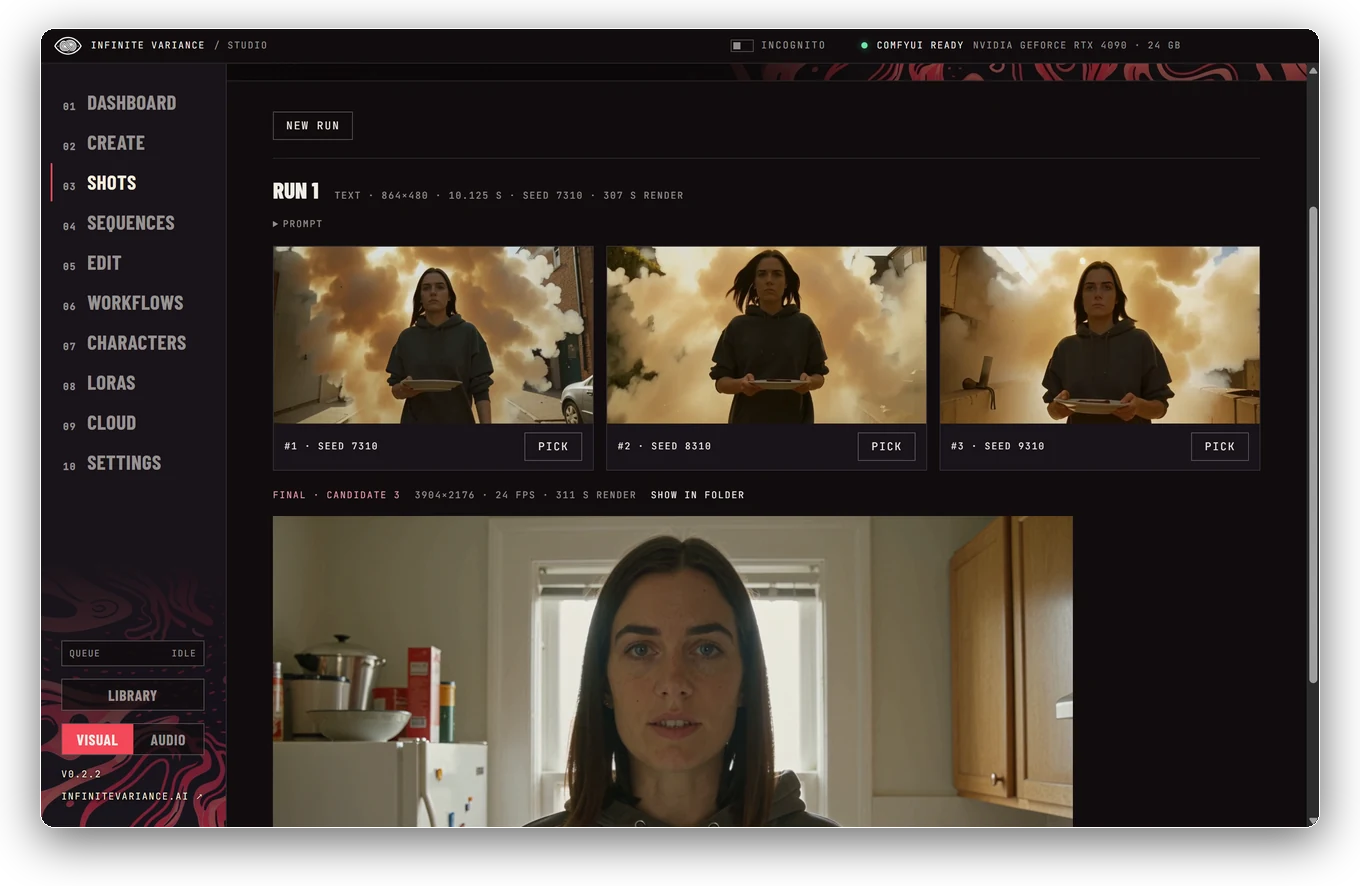
Short films with recurring AI actors. Give a character a face and a voice, hunt a few quick takes, finish the best one, then cut it all together.
How it works, on GitHubStart with the ready-made characters Tess and Theo, or design and train your own. Put one in any shot and it’s the same face every time.
Describe a shot and let the prompt be written for you, pictures included. Give each character a voice, type a line and they say it on screen. Make songs and scores for your edits.
Join shots into one continuous scene, then cut, title and export in a full-screen, Premiere-style editor. Your own agent can work alongside you over MCP.
Shots and sequences can render on a GPU in your own RunPod or Modal account, billed by the second, with a running time and cost meter and a Shut down button, or on Comfy Cloud. On a Mac that’s how every shot renders. Pictures and music need Comfy Cloud or a ComfyUI of your own.
Your PC
Install
Mac
Linux
IV Studio doesn’t include any AI models: each one downloads from its maker under its own licence. MiniMax H3’s licence doesn’t cover use in the USA, the UK, the EU or South Korea without a separate licence from MiniMax, so check it before you start. Characters and voices must be invented, your own, or of someone who agreed. The screenshots show renders made with IV Studio.
02 / Video & audio
Paste a link, pick a format, keep it. Works with YouTube, Vimeo, X, TikTok, Instagram and more than a thousand other sites.
Release notes and earlier versionsBest quality up to 4K, a specific resolution, or MP3 and M4A audio. Video is saved as H.264 MP4 wherever the site offers it, so it drops straight into Premiere, Resolve or CapCut.
Download several at once, or a whole playlist or channel. Close the app mid-download and it picks up where it left off.
The download engine updates with one click. On Windows the app updates itself; on Mac it tells you when a new version is ready.
Windows
Mac
On first launch the app fetches the latest download engine, yt-dlp, from its official release and checks it before use. Download what you have the right to keep: your own work, videos whose creators allow downloads, and public-domain or openly licensed material. Respect each site’s terms. Copy-protected streaming services such as Netflix, Prime Video, Disney+ and Spotify aren’t supported. IV Downloader is built on open-source tools, including yt-dlp, FFmpeg and Deno; their licences are included in the app. The screenshot shows Blender Studio open movies, licensed CC BY.
03 / Messages
WhatsApp, Messenger, Instagram, LinkedIn and Telegram in one window. Your own Codex or Claude can draft replies, but nothing is ever sent for you.
How it works, on GitHubWhatsApp, Messenger, Instagram and LinkedIn run as their own websites inside IV Chat, each signed in separately. Telegram connects directly through Telegram’s official API, with folders, voice messages, polls and reactions.
Your unread counts and the latest messages from WhatsApp, Messenger and Telegram on one page. Closing the window keeps IV Chat in the tray, with notifications.
A Draft button writes a reply with the Codex app or Claude Code already on your PC, and lands it in the reply box for you to check. Connect your AI over MCP to read only the chats you allow. There’s no send tool: a message only goes when you press Enter or Send.
What you need
Install
The screenshot shows demo chats with invented people.
04 / Dictation
Hold a shortcut, speak, let go, and clean text appears wherever you’re typing: email, docs, prompts, code comments. Whisper runs on your own PC.
How it works, on GitHubHold Ctrl + Win, speak and let go: the text is typed into whatever app you were using. Tap Space while holding for hands-free, then press the shortcut again to finish.
Speech recognition runs locally with whisper.cpp and Whisper large-v3 turbo, so your voice never leaves the PC. PCs without a capable GPU can use the CPU build, or bring their own Groq or OpenAI key.
Dictionary words are passed to Whisper as hints, so names and jargon come out right. Your history stays on your PC, and audio is never saved.
The screenshot uses sample numbers.
05 / Keyboard & room control
An on-screen keyboard that never steals focus: tap keys and text lands in the app you were using. It also drives IV Voice and sets the room for Baby Mode or Work Mode.
How it works, on GitHubKeys fire the moment you press them and land in the window behind, which never loses focus. Shift, Ctrl and Alt are one-shot, Caps stays on, and an emoji tray sits alongside.
Start, finish, paste or cancel IV Voice dictation from big buttons.
Baby Mode locks the physical keyboard, guards the power button and stops the Stream Deck, while the on-screen keys still type. Work Mode unlocks the keyboard, turns Filter Keys off and the Stream Deck back on.
Start a conversation
Tell Matt which app, what you tried and what happened.