IV Studio / Free and open source

MAKE THE FILM
IN YOUR HEAD.

Recurring actors, shots, voices, music and a full editor in one free app, running on your own PC. Every tile is a real part of IV Studio.

Recurring actor
Tess, in every shotTrain a character, then cast them anywhere →
Type the ideaIt writes the prompt and hunts takes →
BeforeAfter
Change the sceneSame motion, now winter. Drag to compare
Speak itHer voice, lip-synced
Sing itA song made in IV Studio
154
tools for your agent
8
image model families
4
ways to start a shot
3
systems: Windows, Mac, Linux
Your agent can run it all →
A short film in six stepsIdea to finished film →
Cut it togetherA real editor, inside →
Pick a lookCivitai’s H3 LoRAs, one click into a shot →
Every clip on this page was rendered on one RTX 4090 with the models IV Studio runs.

01 / Create

DESCRIBE IT.
IV STUDIO WRITES THE REST.

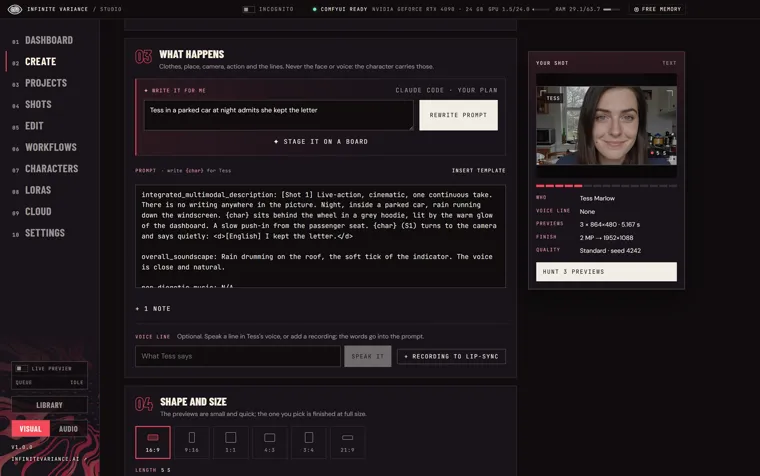
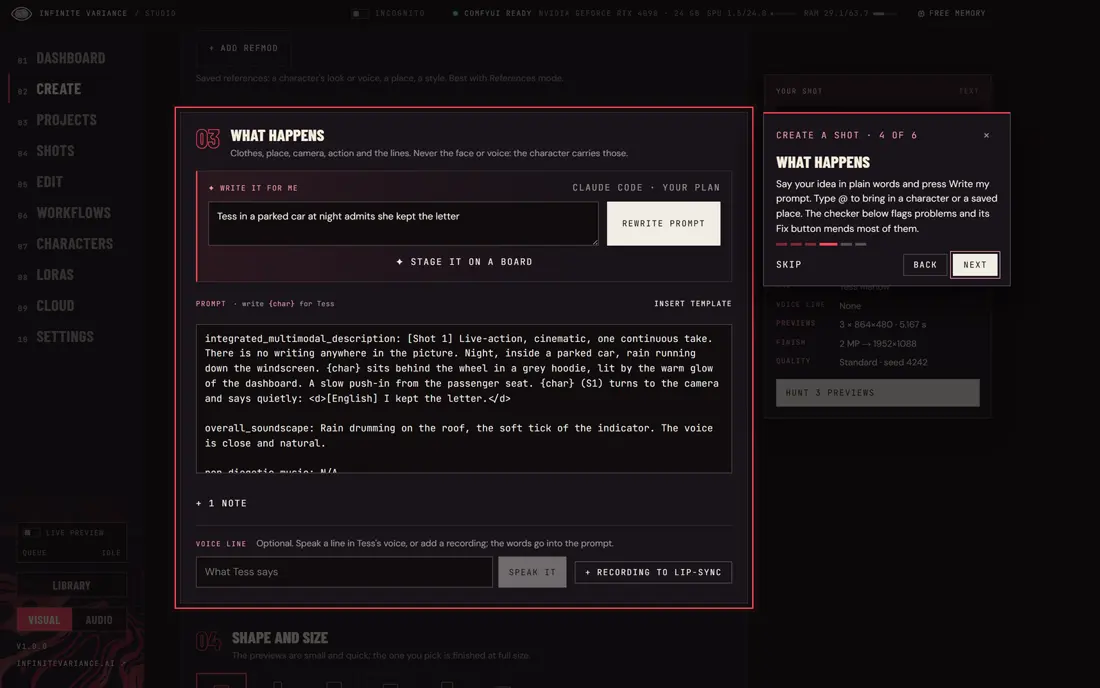
Type the idea in plain words. Write it for me looks at your pictures and videos, writes the full prompt and checks it for mistakes before you spend a render.

Your shot

@Tess waits under a bus shelter in the rain, checks her watch, then smiles as headlights sweep across her face.

@Tess16:910 s3 takesHunt 3 previews

A picture of the app’s Create page. Download IV Studio to use it; it runs on your own PC.

02 / How a shot works

  1. 01DESCRIBE
  2. 02STAGE
  3. 03HUNT
  4. 04KEEP
  5. 05CUT
01 / 05

Say what happens

Type the idea in plain words, @ your cast, add a picture or a clip. Write it for me turns it into a full H3 prompt and checks it.
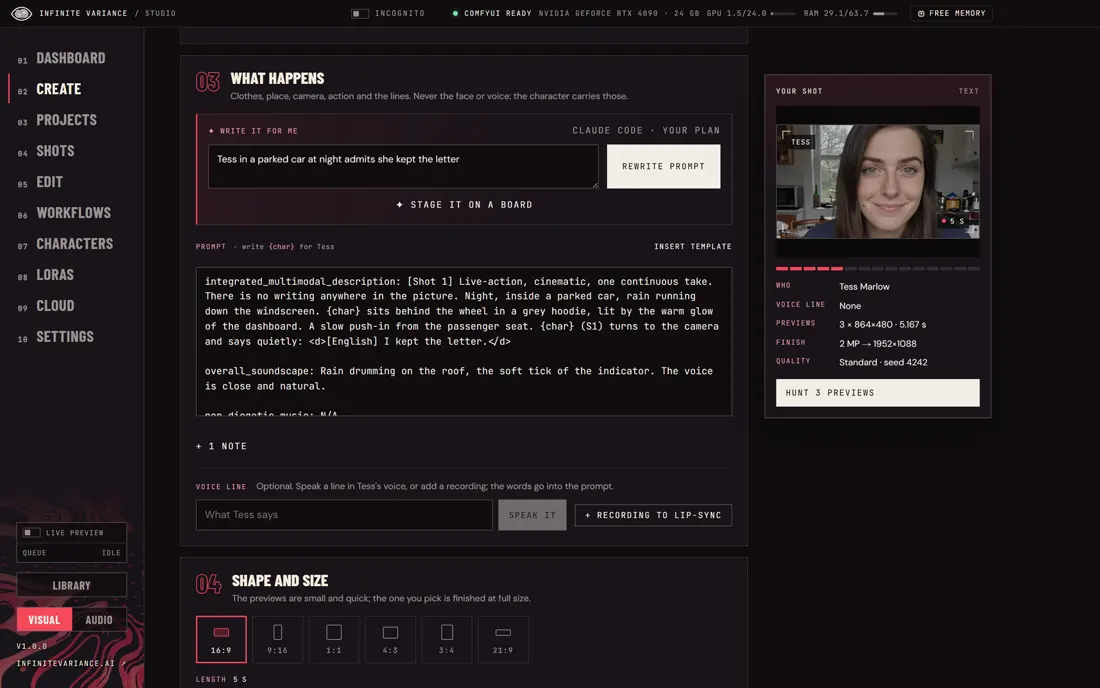

IV Studio: say what happens
02 / 05

Block it out

Drag people and the camera around a top-down floor. It becomes exact screen directions, or a moving grey previs.
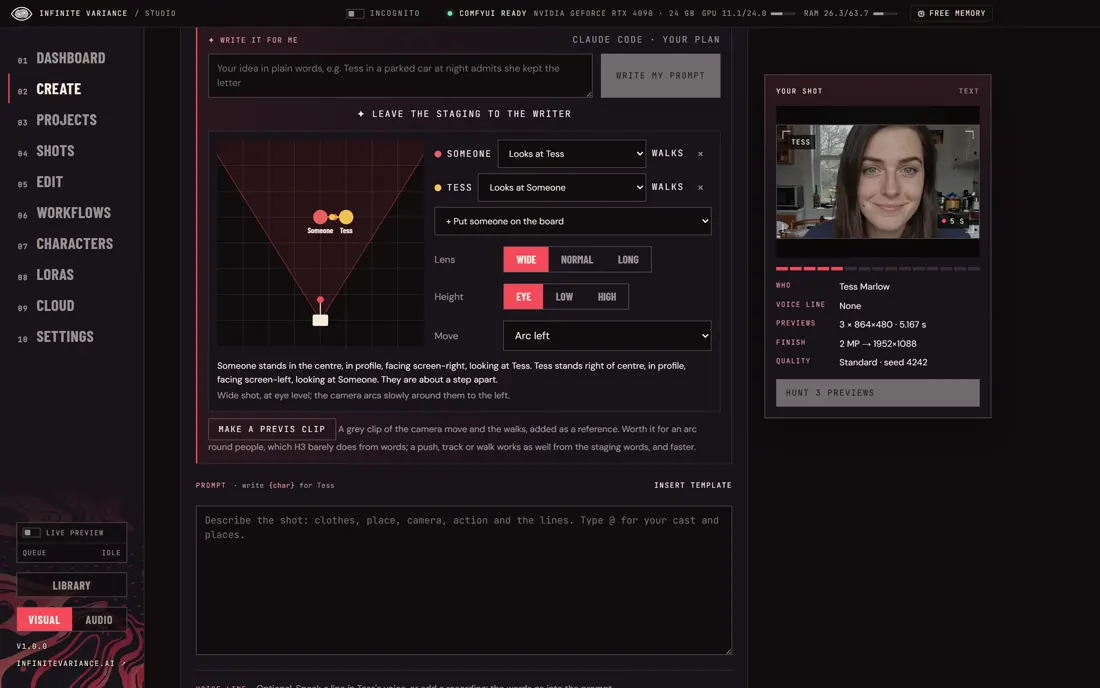
IV Studio: block it out
03 / 05

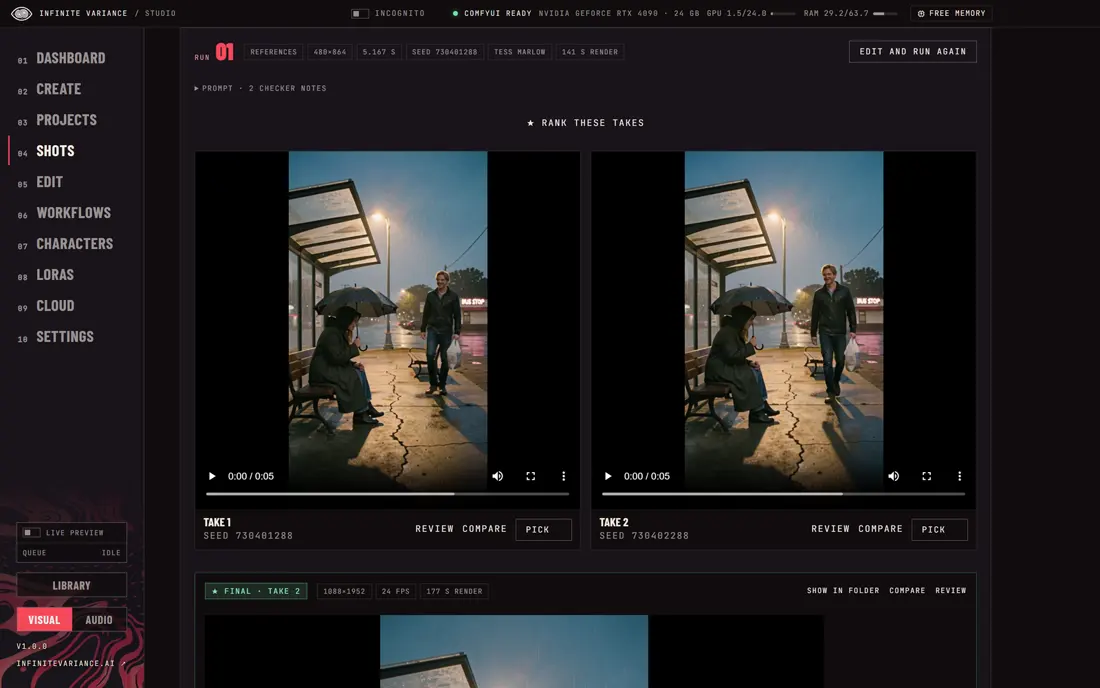
Try a few

One to three quick previews render while you watch their steps, ranked by words heard, likeness and sharpness.
IV Studio: try a few
04 / 05

Finish the best

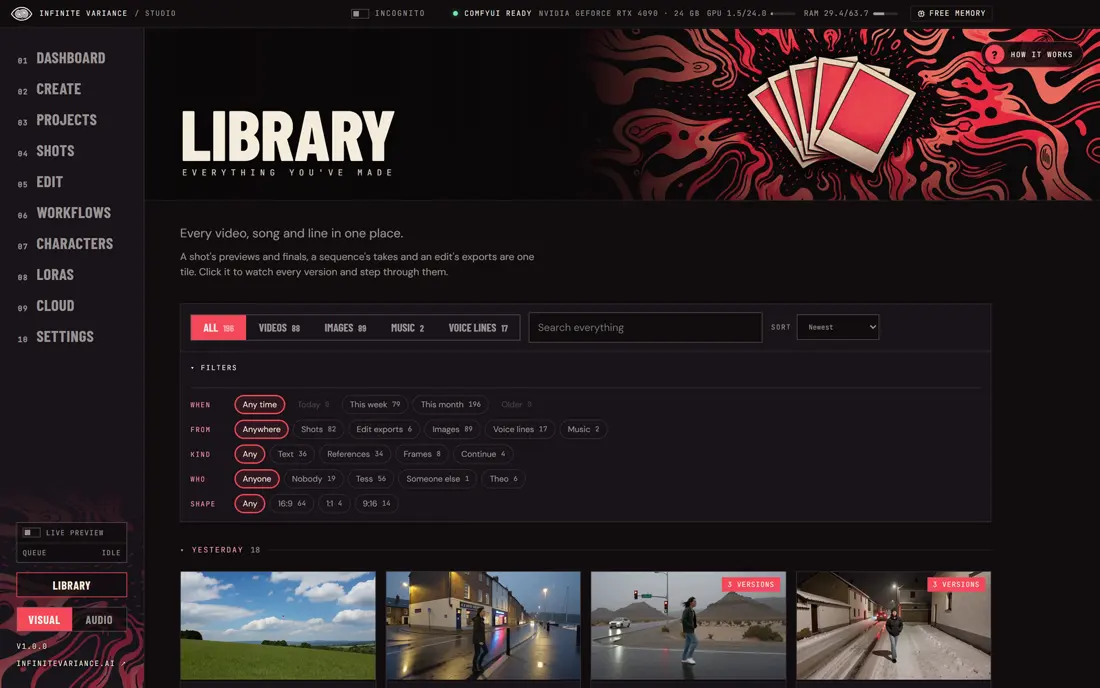
Pick one and finish it at full size with DLSS or SeedVR2. Everything lands in the Library, a day at a time.
IV Studio: finish the best
05 / 05

Make it a film

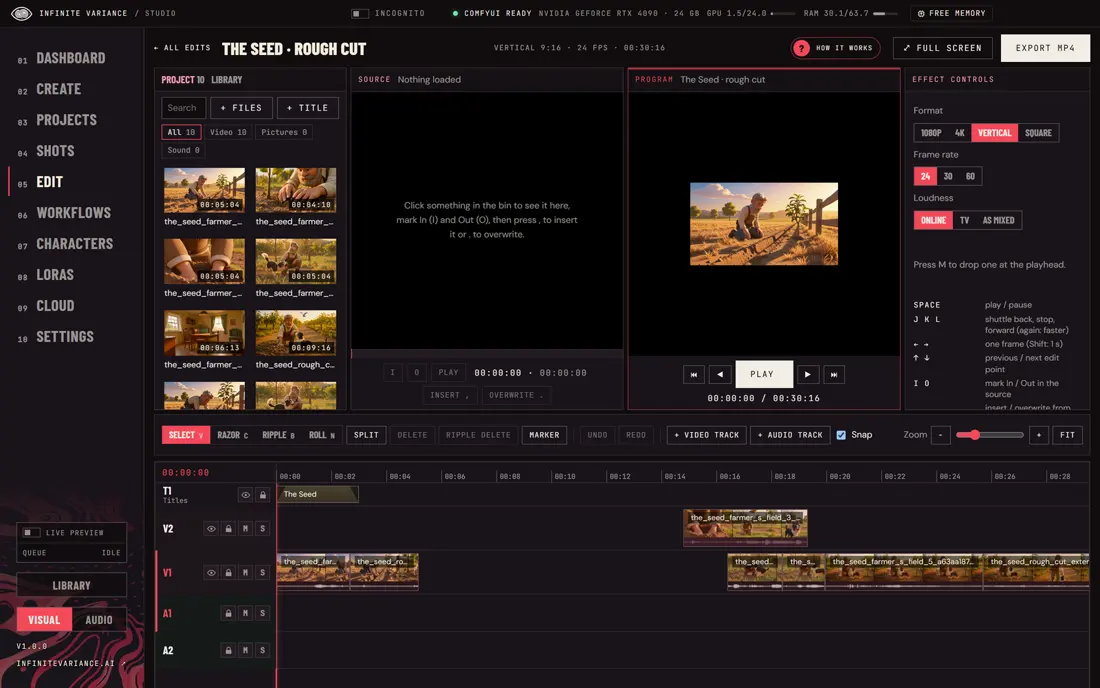
Drop it on the timeline with your songs and lines, grow it with new footage, and export any shape.
IV Studio: make it a film

03 / The cost difference

ONE MINUTE OF FILM.
$141 OR ABOUT $1.

A one-minute short is about twelve 5-second shots, and almost nobody gets a shot on the first try. Here is what that minute costs at three takes a shot on today’s leading paid video model, and on IV Studio.

Estimate

Price your film

12 five-second shots · 36 takes

  1. Seedance 2.5 on HiggsfieldEvery take at 1080p
    $141
  2. Seedance 2.5 on Higgsfield480p drafts, then one 1080p final a shot
    $73.50
  3. IV Studio on your own RunPod 4090Every take, plus a 2752×1536 finish
    88¢
  4. IV Studio on your own PCThe electricity
    15¢

161× less than every take on Seedance 2.5 at 1080p, on a rented GPU.

Why it matters

FILMMAKING FOR
ANYONE WITH A PC.

When a try costs a few cents instead of a few dollars, people experiment, keep going and finish. More of the stories people carry around get made.

  • Runs where you are

    Your own graphics card, or any GPU you rent by the hour. No company has to approve the idea.

  • Open, not metered

    The app is free and open source and runs open-weight models. You pay for power or GPU time, not a toll on every try.

  • Yours to keep

    Footage, characters and projects live on your machine or your own cloud account.

Reported Higgsfield’s own published Seedance 2.5 prices, checked October 30, 2026: 16 credits a second at 1080p, 3 at 480p, $49 for 1,000 credits (Higgsfield). Measured IV Studio on an RTX 4090, November 8, 2026: two draft takes in 95 s and a finish to 2752×1536 in 124 s; RunPod RTX 4090 Secure at $0.89 an hour, November 10, 2026. Estimate About 25 s for each extra take, 10 minutes of pod start-up per film, your own PC drawing 600 W at $0.30 a kWh. Not a quality comparison: Seedance 2.5 is a leading paid model and IV Studio’s shots use the open MiniMax H3 model, so look, resolution and how many takes a shot needs differ.
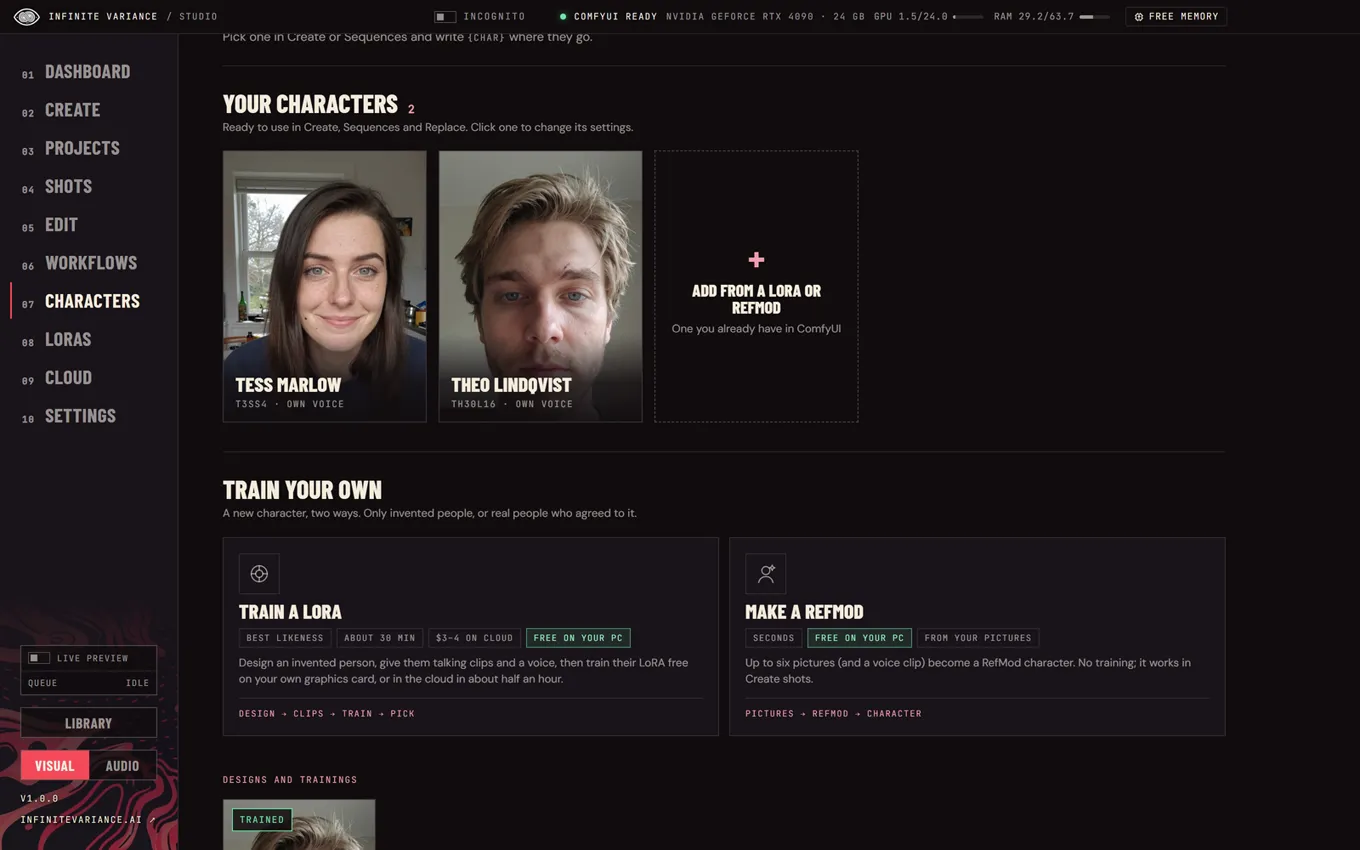
IV Studio’s Characters page with Tess Marlow and Theo Lindqvist

04 / Recurring actors

THE SAME FACE.
EVERY SHOT.

Give a character a face, a trigger word and a voice, then put them in any shot. Use the ready-made Tess and Theo, add a LoRA or RefMod you already have, or design and train your own.
  • Train a character free on your own graphics card
  • Make a RefMod from a few pictures in seconds
  • Each character keeps their own voice
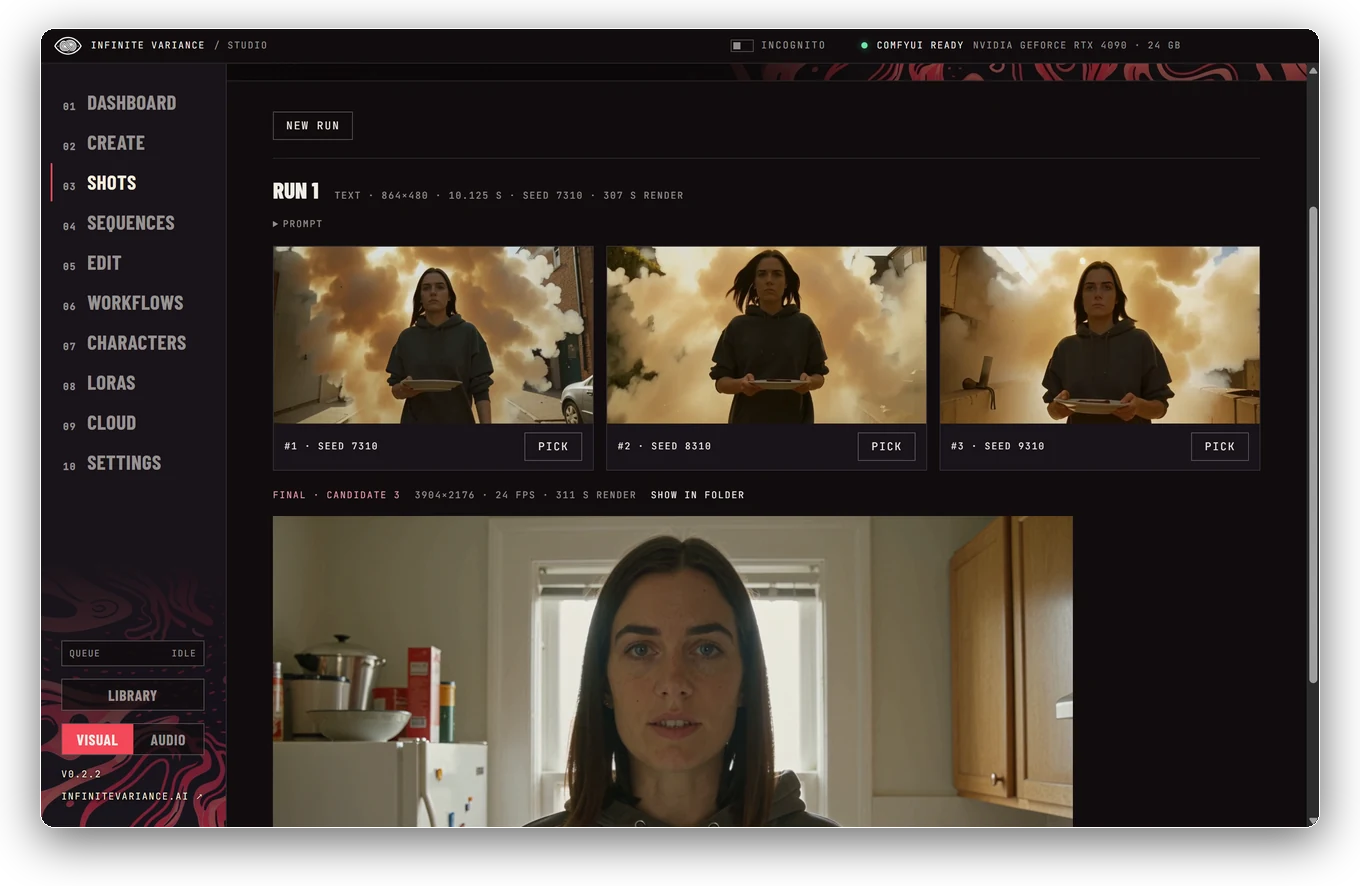
An IV Studio shot page with preview takes to pick from

05 / Hunt, then finish

TRY A FEW.
KEEP THE BEST.

Hunt one to three quick previews, watch their steps render live, compare them side by side, then finish the one you pick at full size.
  • Takes ranked by words heard, likeness and sharpness
  • A Review that names each problem and one fix
  • Finish at up to 2 MP with DLSS or SeedVR2
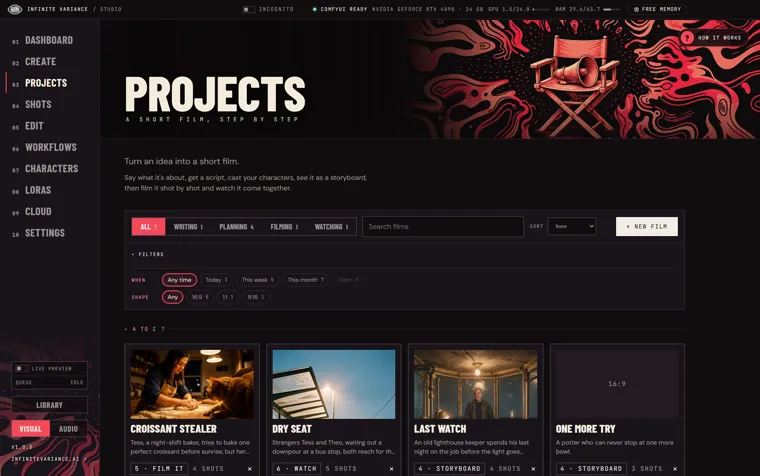
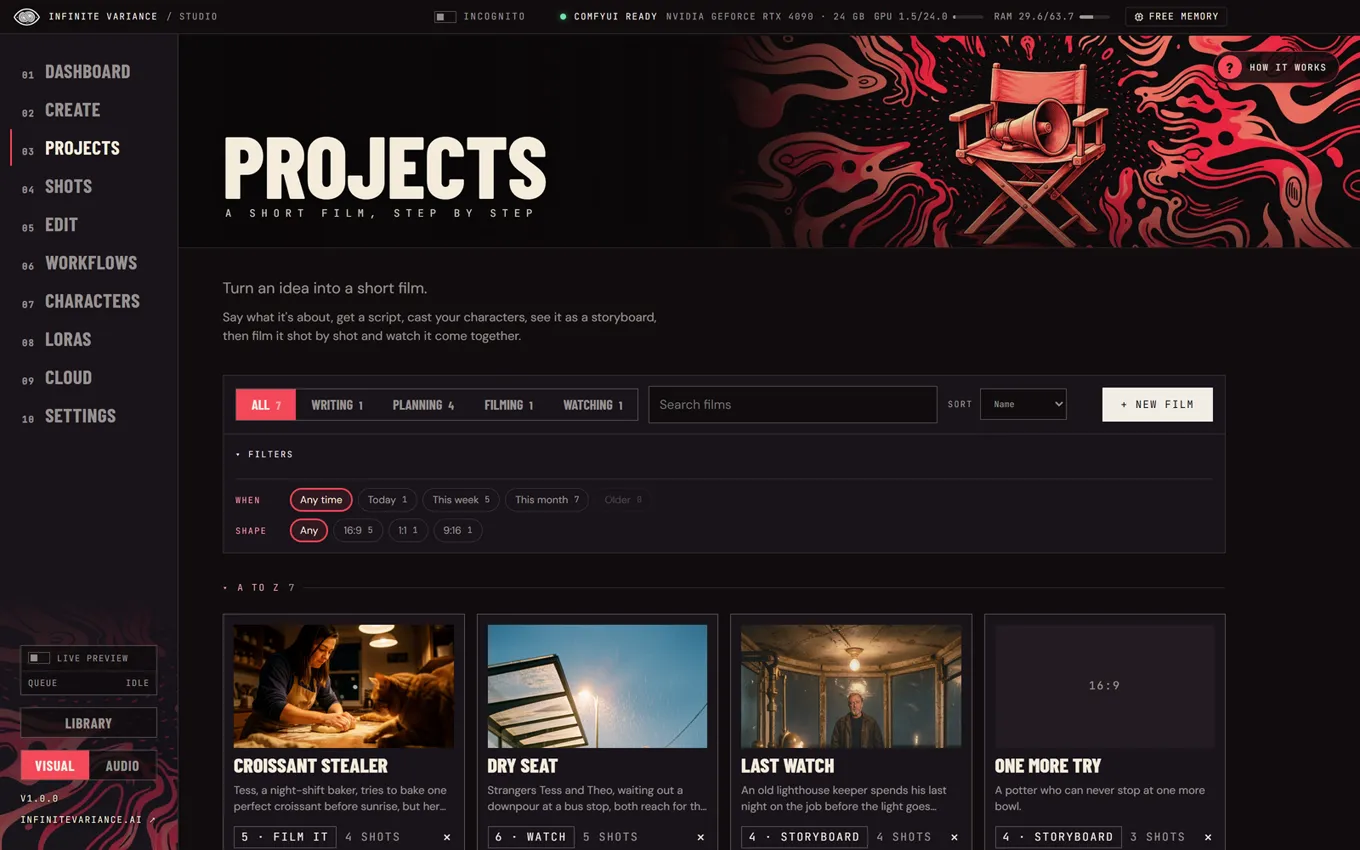
IV Studio’s short-film wizard on its storyboard step

06 / A short film in six steps

AN IDEA IN.
A FILM OUT.

A wizard for anyone: idea, script, cast and places, a storyboard you can play as an animatic, filming every panel, then the finished film.
  • A script written for you, or bring your own
  • Faces and rooms stay the same from shot to shot
  • A staging board that turns into exact directions
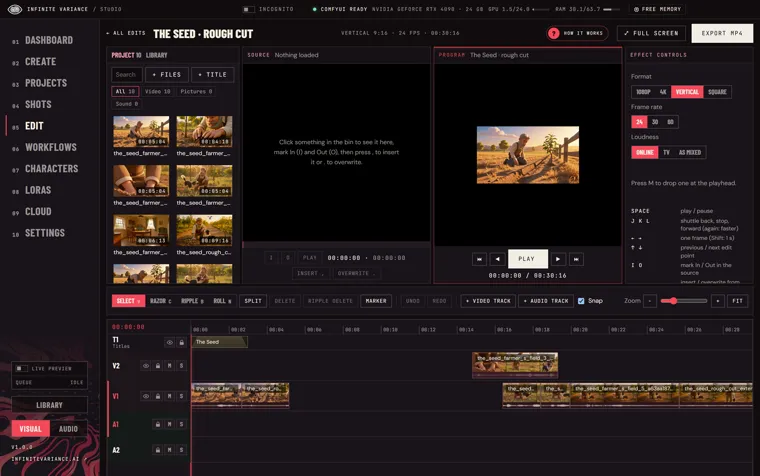
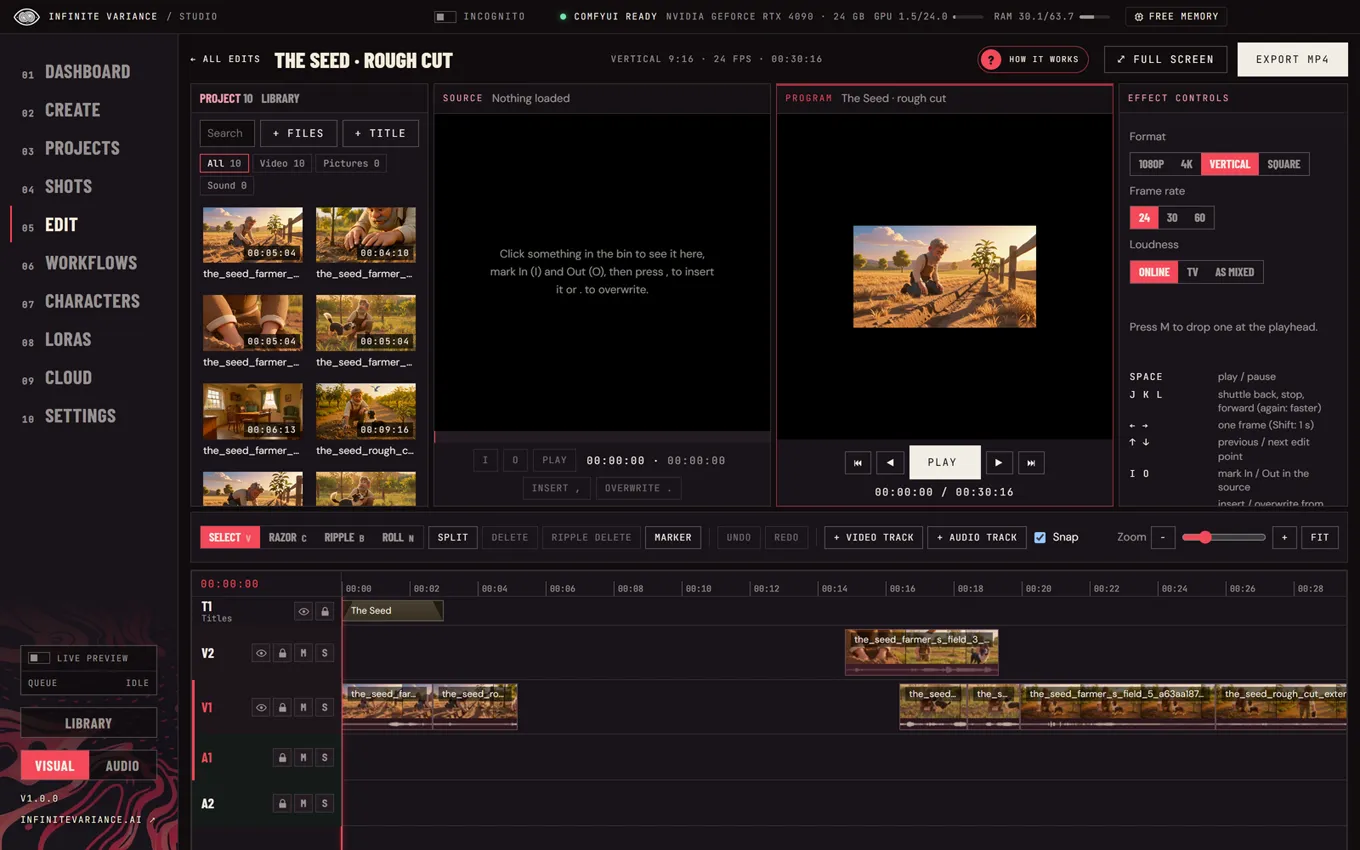
IV Studio’s editor with a rough cut on the timeline

07 / A real editor

CUT IT.
THEN GROW IT.

A full-screen editor with tracks, trims and monitors. Right-click to make new footage right on the timeline.
  • Extend a clip, fill a gap or retake a stretch
  • Cut out a person with see-through edges
  • Export 1080p, 4K, vertical or square at a set loudness
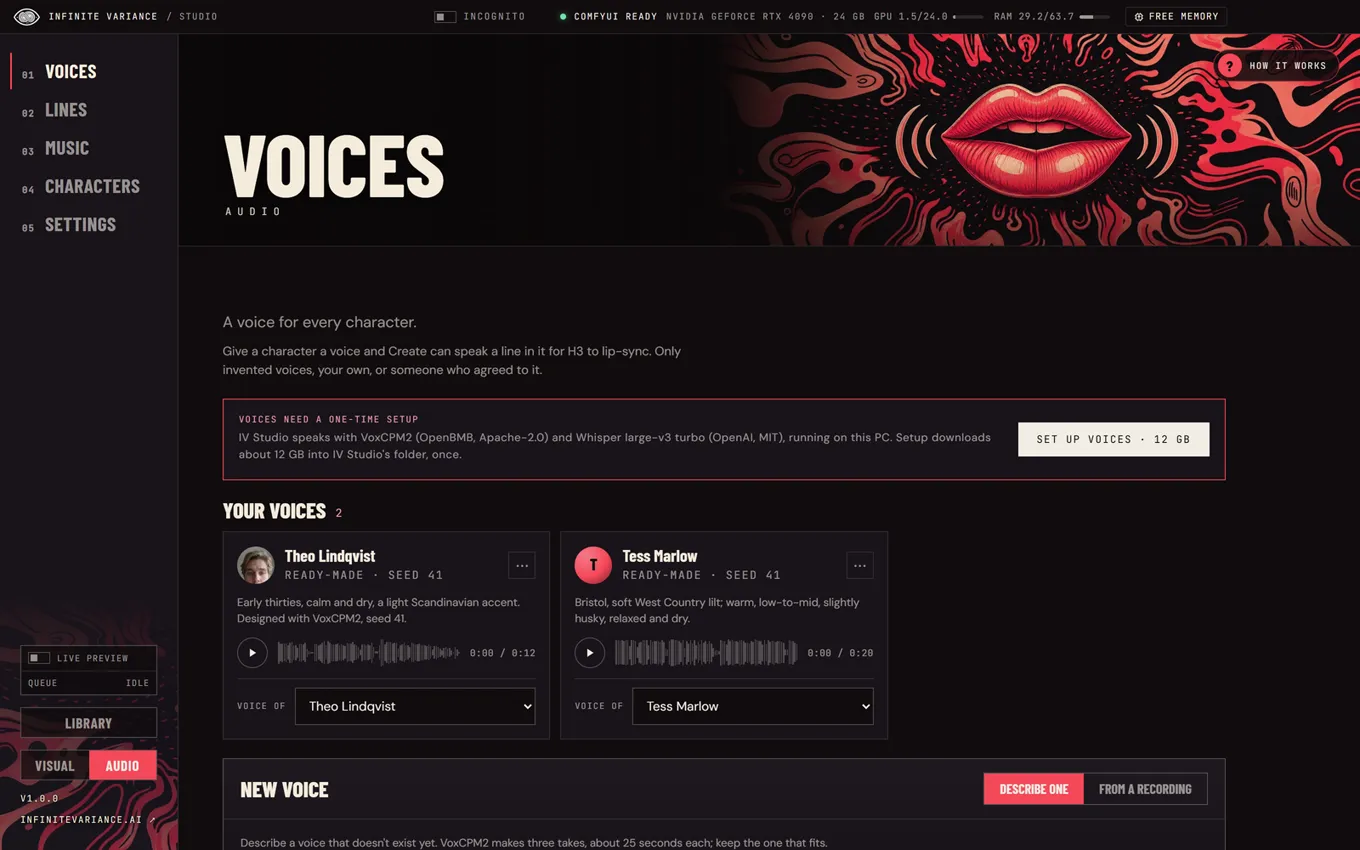
IV Studio’s Voices page

08 / Voices and music

GIVE IT
A VOICE.

Design a voice from a description or save one from a recording, type a line and the character says it on screen, lip-synced. Make songs with sung lyrics, or instrumentals, for any edit.

  • Voices on your PC with VoxCPM2 and Whisper
  • Songs up to five minutes with MiniMax Music 3
  • Have a character sing the song

09 / The whole list

68 THINGS
IT ALREADY DOES.

All of it ships in the free app today. Pick a group, or just keep scrolling.

  • Four ways to startText, references, first and last frame, or carry on a video.
  • Write it for mePlain words in, a full H3 prompt out.
  • Looks at your referencesThe writer reads your pictures and videos first.
  • Prompt checkerCatches H3 mistakes before you spend a render.
  • @ mentionsName your cast and places right in the prompt.
  • Hunt one to three takesQuick previews to choose from.
  • Live step picturesWatch each take form while it renders.
  • Floating live previewA resizable preview over every page.
  • Sampler and schedulerPick them per shot when you want control.
  • Ranked takesBy words heard, likeness and sharpness.
  • CompareTakes side by side, in step.
  • Review a takeNames each problem, its second, and one fix.
  • Staging boardA top-down floor that becomes exact directions.
  • Grey previsA moving blocking clip the shot follows.
  • Finish up to 2 MPPick a take and render it full size.
  • DLSS and frame generationRTX 2× upscale and smoother motion.
  • SeedVR2 detailA detail pass for faces and texture.
  • Tess and Theo, readyTwo recurring actors out of the box.
  • Train free on your PCYour own character on your own graphics card.
  • Or train in your cloudRunPod or Modal, with a spending cap.
  • Train morePick up where a training stopped.
  • Likeness scoringFind the checkpoint that looks most like them.
  • RefMods in secondsA character from a few pictures, no training.
  • A voice per characterEach actor keeps their own voice.
  • Six-step film wizardIdea to finished short, for anyone.
  • Script written for youOr bring your own.
  • Storyboard sketchesEvery panel drawn before you shoot.
  • Play the animaticWatch the film before you film it.
  • Faces and rooms holdThe same people and places, shot to shot.
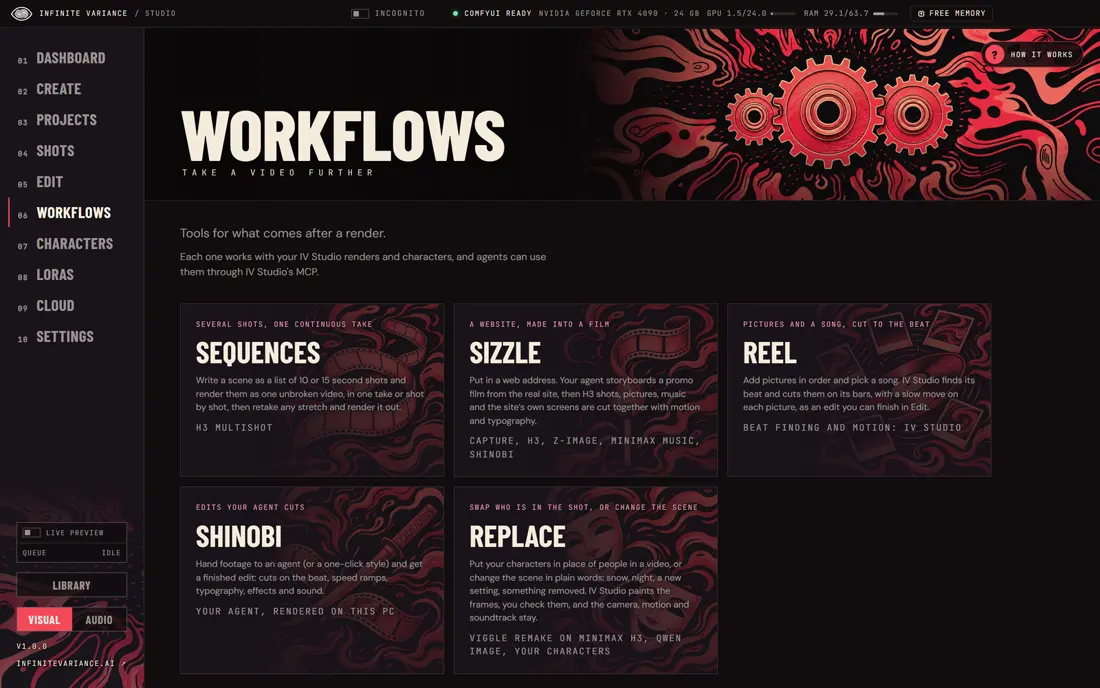
  • SequencesSeveral shots as one continuous video.
  • Continue a videoPick up where a shot ends.
  • Premiere-style editorBin, source and program monitors, full screen.
  • As many tracks as you needVideo and audio, with filmstrips and waveforms.
  • Razor, ripple and rollJ/K/L, insert, overwrite and markers.
  • Extend a clipRight-click to make more of it.
  • Bridge and fill gapsNew footage between two clips.
  • Retake a stretchRedo just the seconds you don’t like.
  • Cut outA person or thing with see-through edges.
  • ReframeA new shape, with H3 drawing past the edges.
  • Export any shape1080p, 4K, vertical or square.
  • Set loudnessExports at a level ready to post.
  • Design a voiceFrom a description, in seconds.
  • Save a voiceFrom a recording, with consent.
  • Speak itCharacters say the line, lip-synced.
  • Songs up to five minutesSung lyrics with MiniMax Music 3.
  • Drafts in secondsQuick songs with ACE-Step 1.5.
  • Have them sing itA character performs the song.
  • Eight image familiesFlux, Krea, Qwen, Z-Image, SDXL and more.
  • Edit picturesChange a picture with words and references.
  • H3 stillsPictures that star your characters.
  • Civitai LoRAsBrowse H3 looks as picture cards.
  • LoRA trayAdd looks to a shot with a strength slider.
  • ReplaceSwap a person or change the scene; motion stays.
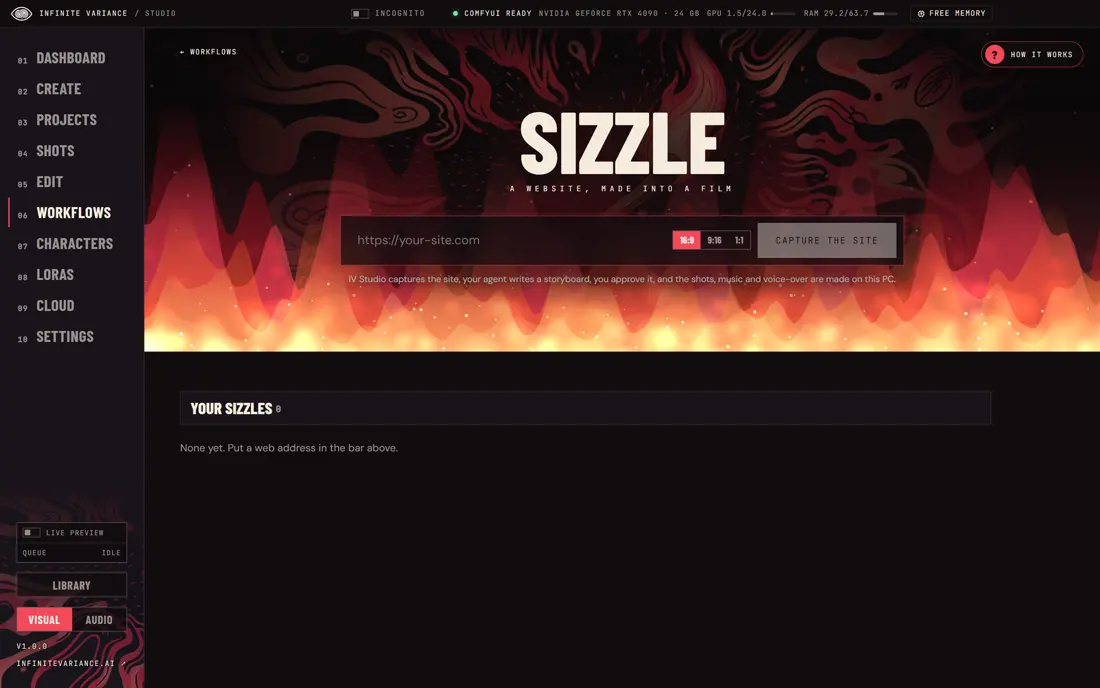
  • SizzleA website becomes a promo film.
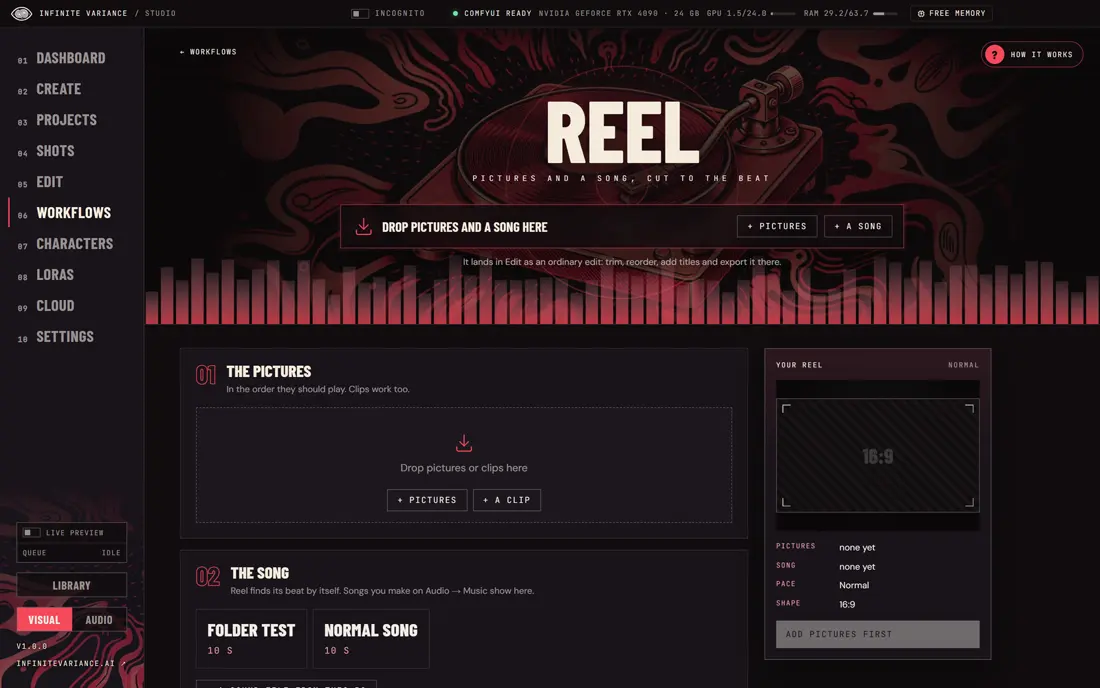
  • ReelPictures cut to a song’s beat.
  • ShinobiYour agent cuts a whole edit in code.
  • Check my PCReads your hardware and sets itself up.
  • How it worksEvery page walks you through itself.
  • Library by dayEverything you made, filtered your way.
  • Render queueWhat’s rendering and what waits.
  • IncognitoA private space that never shows in the normal app.
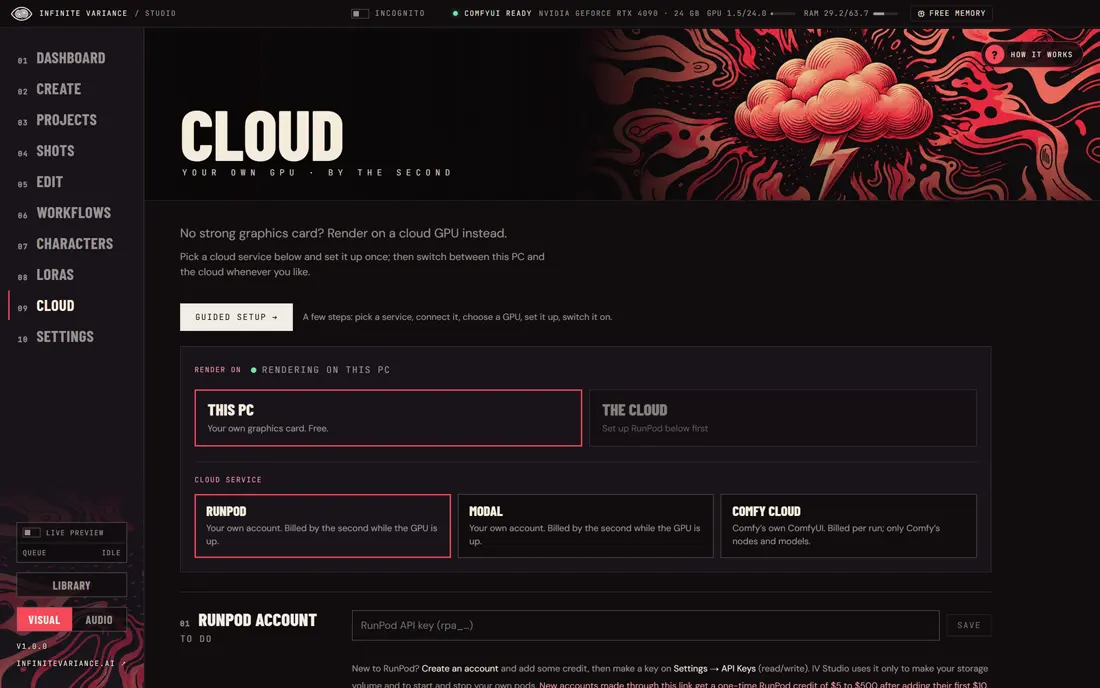
  • Your own cloudRunPod, Modal or Comfy Cloud, guided setup.
  • GPU meterTime and cost in the title bar, and Shut down.
  • 154 agent toolsClaude Code or any MCP agent can run it.
  • Start menuTen things to make, as agent slash commands.
  • AccessibilityBigger text, higher contrast, less motion.
  • Updates itselfOn Windows and Linux, one click.
  • Windows, Mac, LinuxOne app, three systems.

10 / Every screen

THE REAL APP.
NO MOCKUPS.

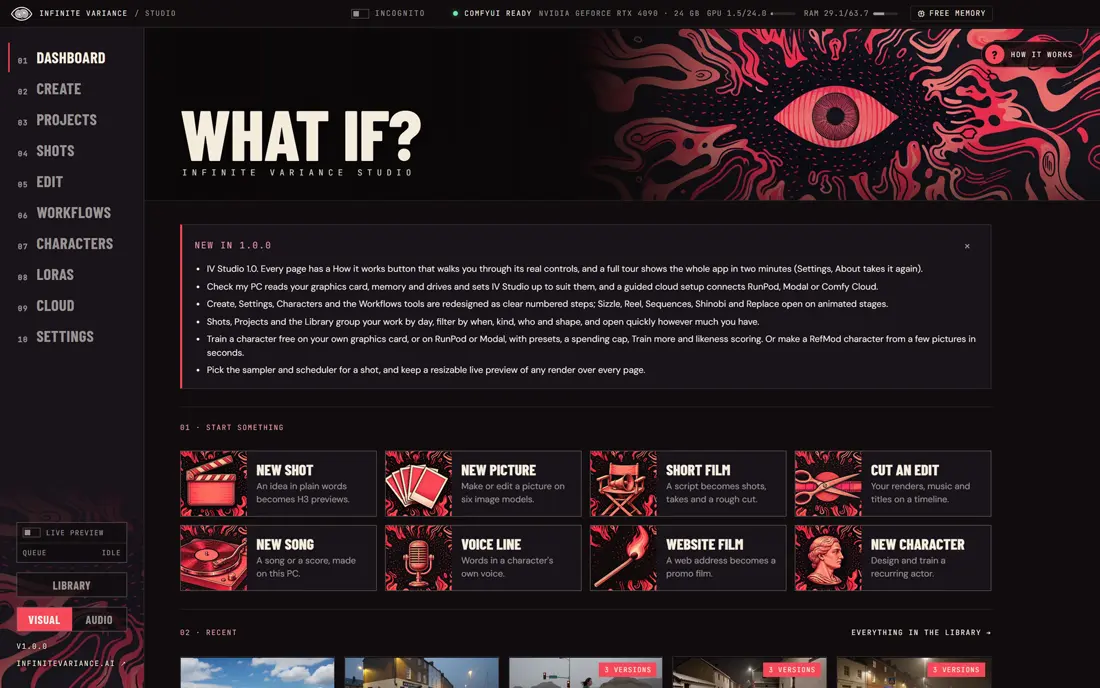
IV Studio: Start anything from the Dashboard
01Start anything from the Dashboard
IV Studio: Every page walks you through itself
02Every page walks you through itself
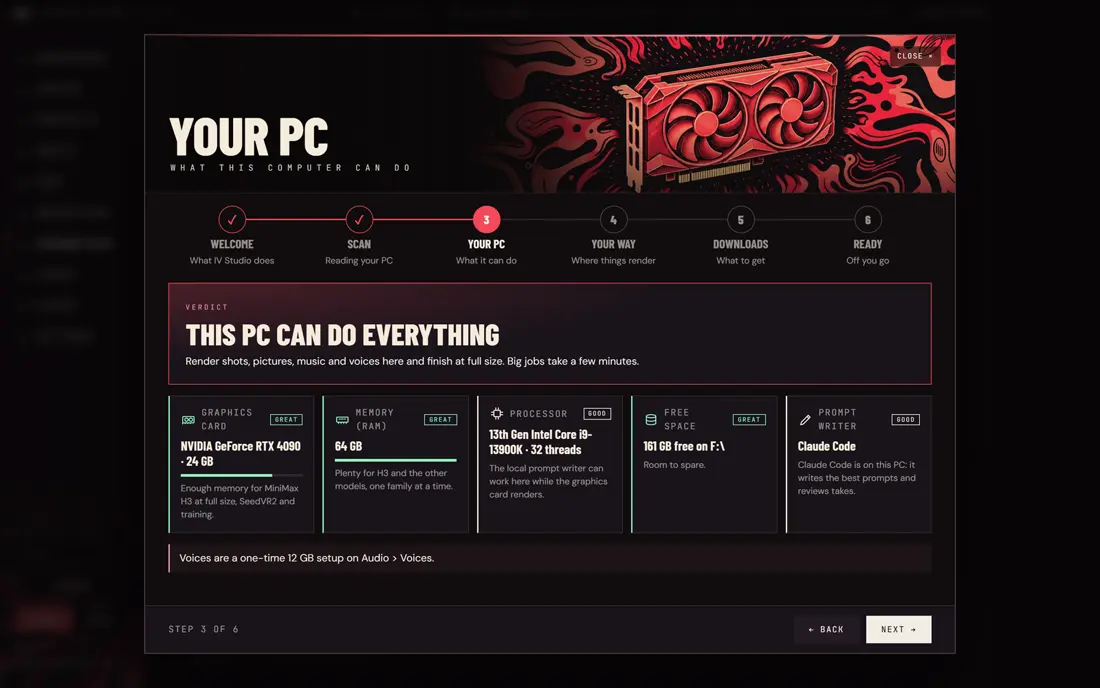
IV Studio: Check my PC sets it up for you
03Check my PC sets it up for you
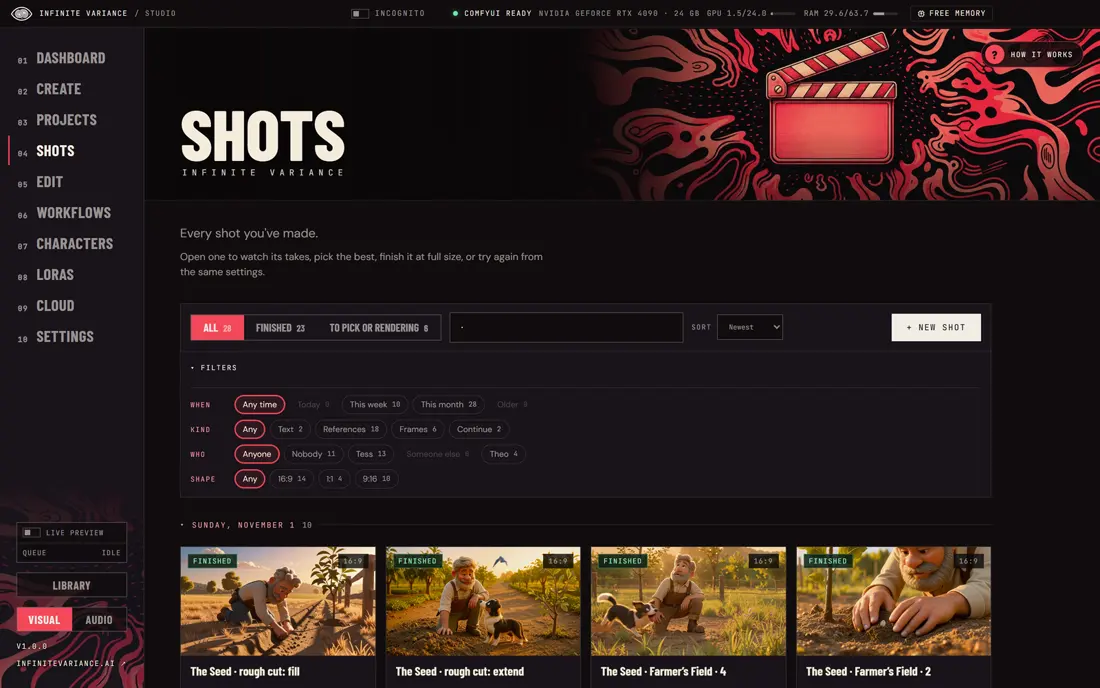
IV Studio: Every shot, a day at a time
04Every shot, a day at a time
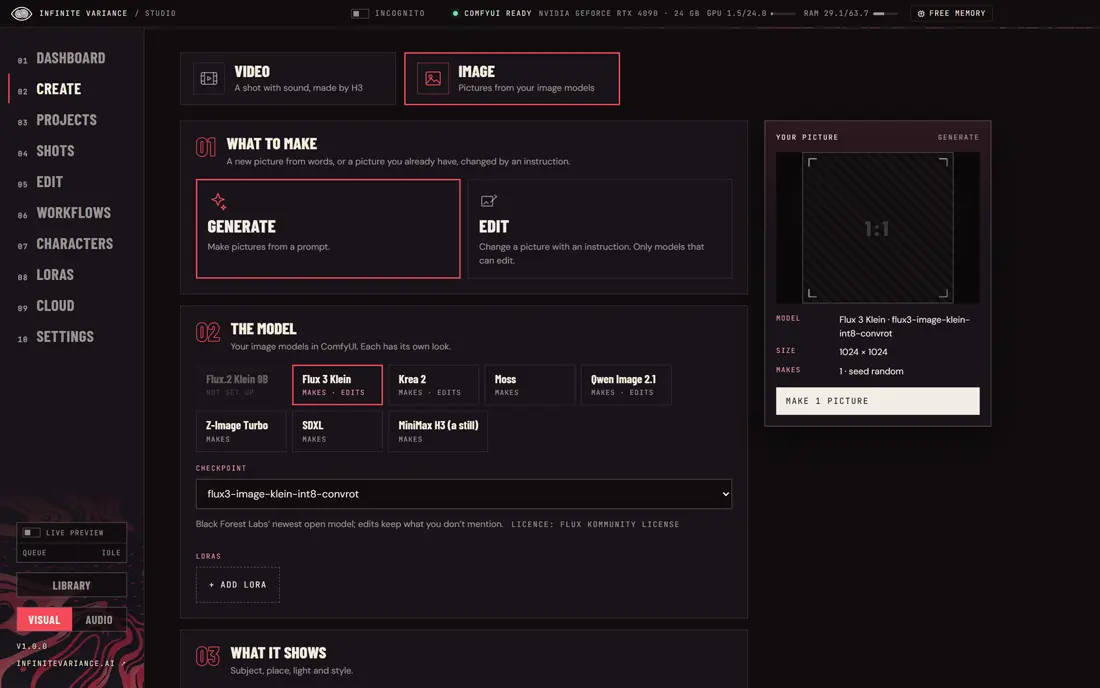
IV Studio: Pictures on eight model families
05Pictures on eight model families
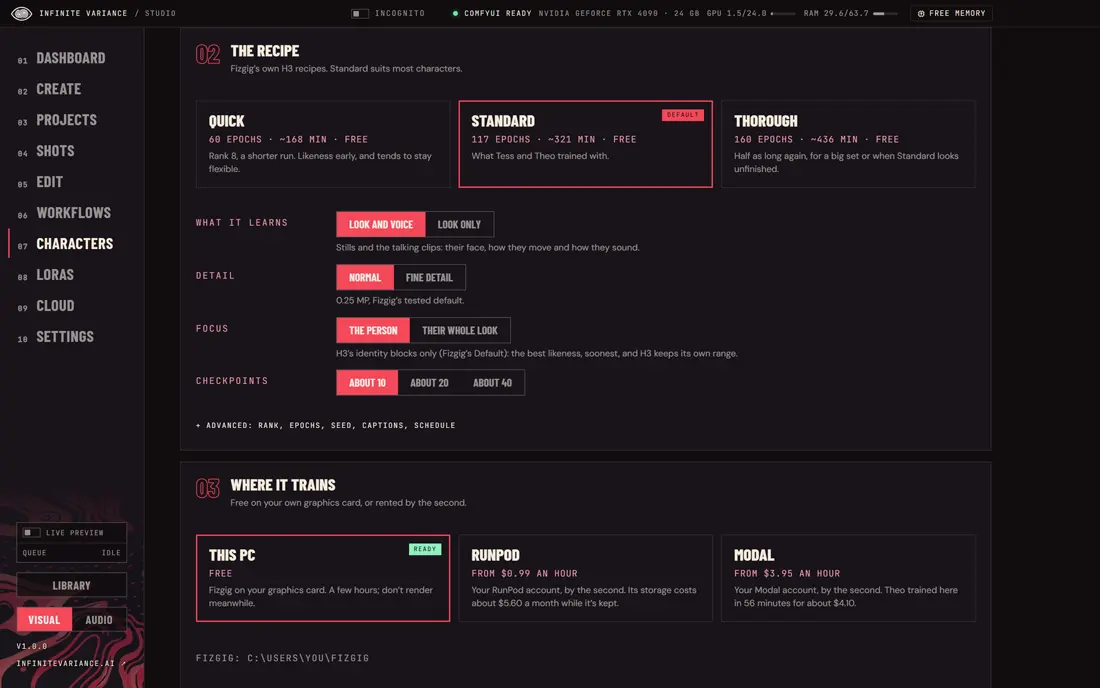
IV Studio: Train free on your PC, or in your cloud
06Train free on your PC, or in your cloud
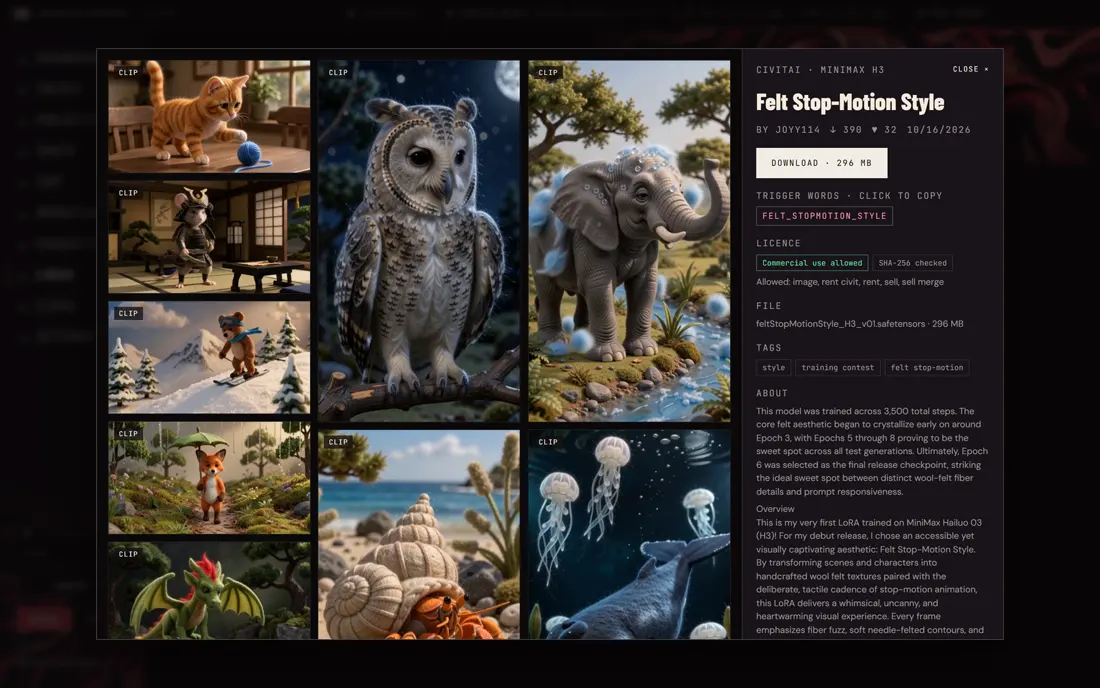
IV Studio: Every LoRA’s examples and licence
07Every LoRA’s examples and licence
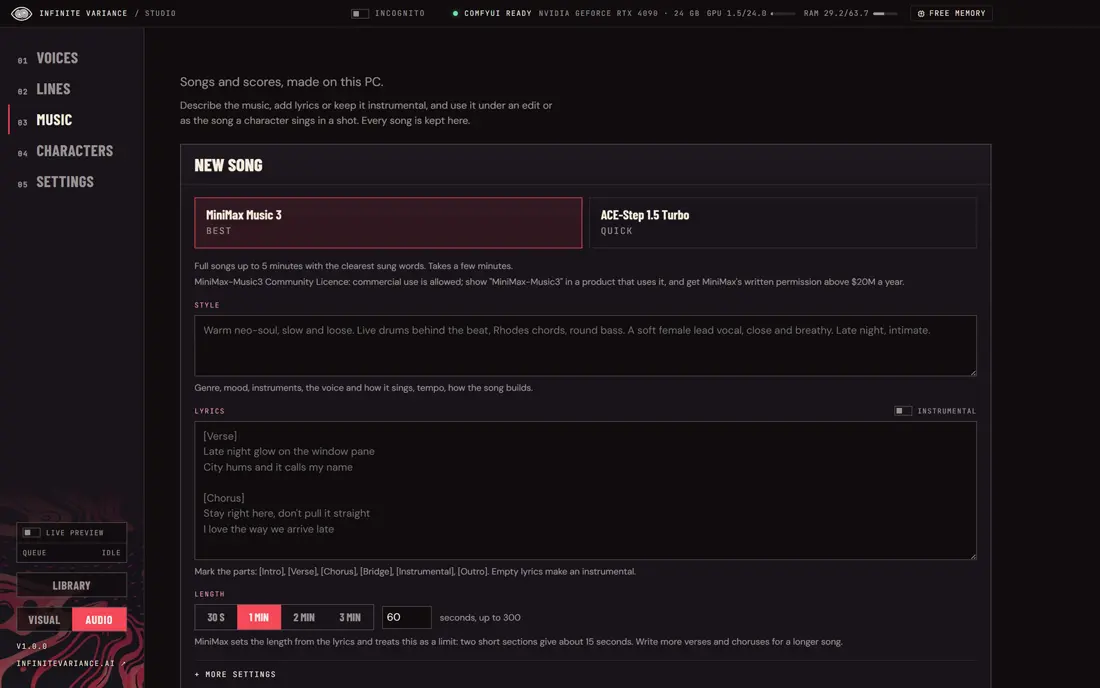
IV Studio: Songs and scores on your PC
08Songs and scores on your PC
IV Studio: Five tools for after a render
09Five tools for after a render
IV Studio: A website, made into a promo film
10A website, made into a promo film
IV Studio: Pictures and a song, cut to the beat
11Pictures and a song, cut to the beat
IV Studio: No big GPU? Your own cloud account
12No big GPU? Your own cloud account
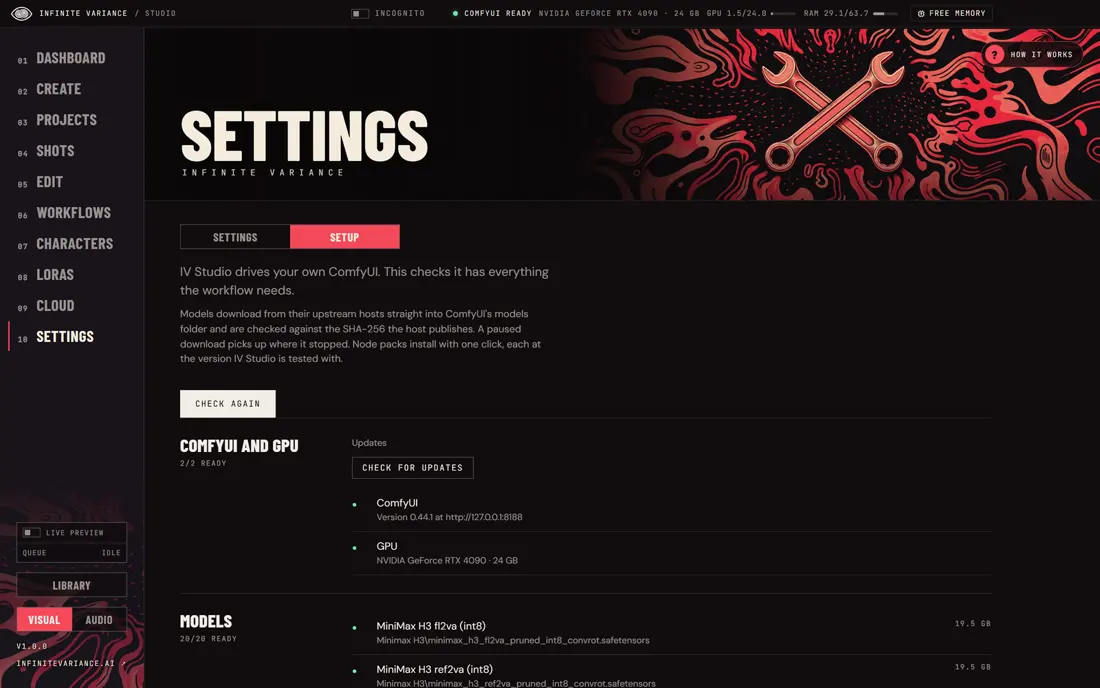
IV Studio: Setup checks and downloads models
13Setup checks and downloads models
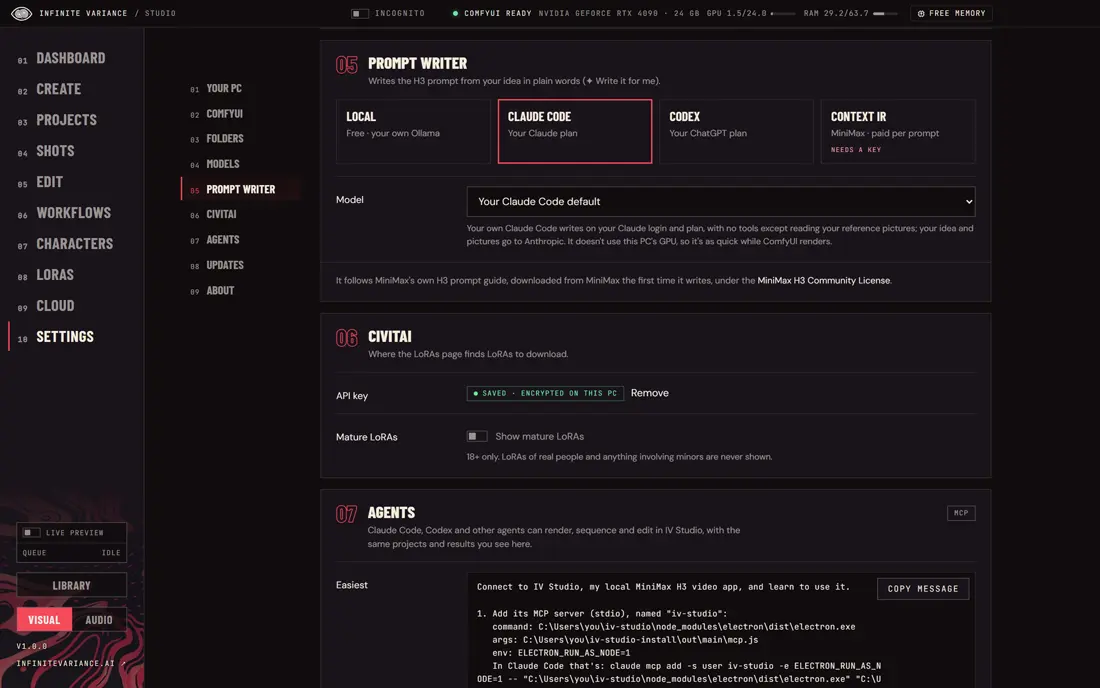
IV Studio: Settings, one card per topic
14Settings, one card per topic

11 / Everything inside

ONE APP.
A WHOLE STUDIO.

Each page in IV Studio has its own art, its own How it works tour and its own job. Here are a few.

Sequences

Several shots as one continuous video.

Sizzle

A website becomes a promo film, cut on the beat.

Reel

Pictures or clips cut to a song’s beat.

Replace

Swap a person or change the scene; the motion stays.

Shinobi

Your agent cuts a whole edit in code.

Images

Eight image model families, made or edited.

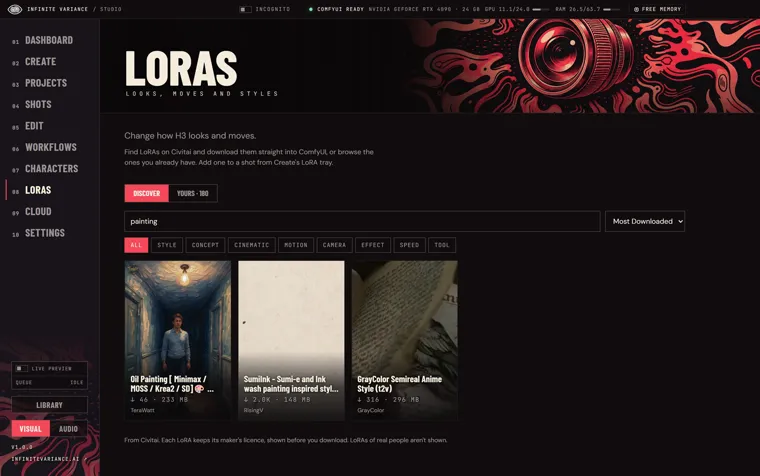
LoRAs

Browse Civitai’s H3 LoRAs and add one in a click.

Library

Every render, song and line, a day at a time.

Cloud

Your own RunPod, Modal or Comfy Cloud account.

Music

Full songs or quick drafts for any edit.

Voices

Design a voice, or save one from a recording.
Characters

Train, add or design a recurring actor.

12 / Your agent

ASK FOR THE FILM.
WATCH IT GET MADE.

IV Studio comes with a local MCP server, so Claude Code or any MCP agent can render shots, make pictures, speak lines, make music, cut the edit and export, using your same characters and projects.

  • 154 tools on your own PC
  • A start menu of ten things to make
  • Nothing leaves your machine unless you choose the cloud
Ask it things like

“Make Tess a 10-second shot at a rainy bus stop, three takes, and finish the best one.”

“Turn infinitevariance.ai into a 30-second sizzle with music.”

“Write and storyboard a one-minute short about a lighthouse keeper.”

“Give Theo a calm, low voice and have him read this line.”

13 / Open, all the way down

FREE APP.
OPEN MODELS.

IV Studio is MIT-licensed and drives your own ComfyUI. Each model keeps its own licence and credit.

MIT
The app’s licence
154
Agent tools
13
Open models and engines below
$0
For the app itself
  • MiniMax H3Video
  • Flux.2 KleinPictures
  • Flux 3 KleinPictures
  • Krea 2Pictures
  • Qwen Image 2.1Pictures
  • Z-Image TurboPictures
  • SDXLPictures
  • VoxCPM2Voices
  • WhisperWords
  • MiniMax Music 3Songs
  • ACE-Step 1.5Songs
  • SeedVR2Detail
  • Viggle RemakeSwaps

Video by MiniMax H3 (powered by MiniMax H3; its licence applies). Songs by MiniMax-Music3 and ACE-Step. Each model’s licence is listed in IV Studio’s README.

14 / Where it runs

YOUR PC.
OR YOUR CLOUD.

Check my PC reads your hardware on first launch and sets IV Studio up to suit it. No strong graphics card? Render shots on a GPU in your own account, billed by the second.

This PC

An NVIDIA graphics card runs everything, free.

RunPod

Your account, your GPU, a guided setup.

Modal

Scales to zero when you stop.

Comfy Cloud

Pictures and music on Comfy’s GPUs.

Start

THREE STEPS
TO YOUR FIRST SHOT.

  1. 1

    Download

    Free for Windows, Mac and Linux. It updates itself on Windows and Linux.

  2. 2

    Check my PC

    IV Studio reads your hardware and sets itself up, or connects your cloud.

  3. 3

    Make a shot

    Pick Tess, type an idea, hunt three takes and finish the best one.

Shots need an NVIDIA graphics card (24 GB recommended) or a cloud account. Code and release notes on GitHub · All free tools

IV Studio · Free

MAKE SOMETHING
NOBODY HAS SEEN.

Download it, pick Tess, type an idea. Your first shot is a few minutes away.

Download for WindowsMac and Linux